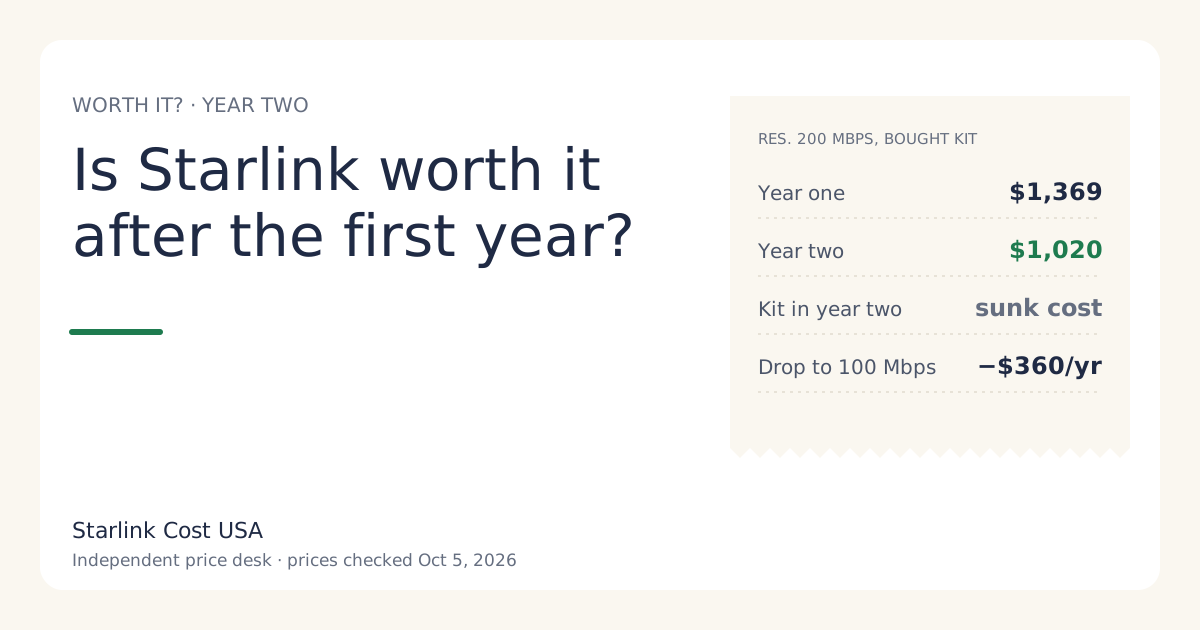
Yes, for most households that found it worth it in year one: with a bought kit, year two costs only the plan price, $1,020 on Residential 200 Mbps, which is $349 less than year one. The kit is paid and can’t be un-paid, so the honest question is whether the next 12 months of plan price beat the next 12 months of your best alternative. US list prices, checked Oct 5, 2026, before tax.
That makes year two a cleaner decision than year one. You’re not weighing hardware any more, just a monthly bill against other monthly bills, and you now know how the service actually works at your address.
What year two costs
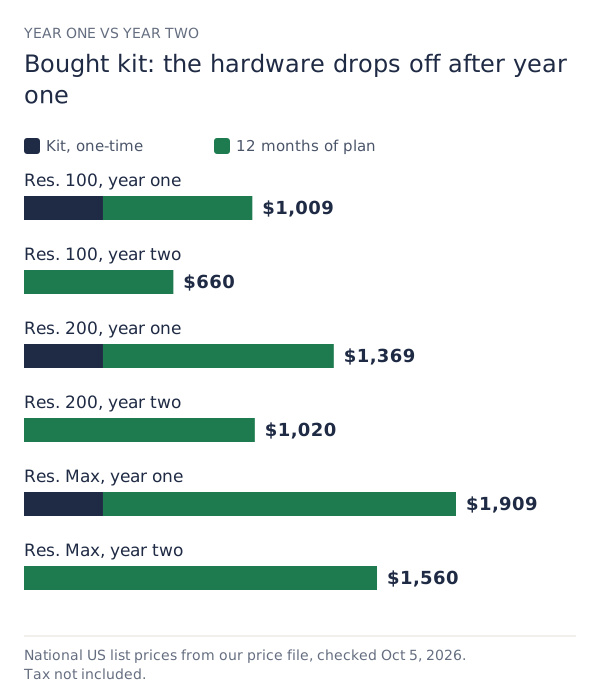
| Plan, bought kit | Year one | Year two | Year two per month |
|---|---|---|---|
| Residential 100 Mbps | $1,009 | $660 | $55/mo |
| Residential 200 Mbps | $1,369 | $1,020 | $85/mo |
| Residential Max | $1,909 | $1,560 | $130/mo |
On a rental kit, year two is the plan plus any monthly rental fee ($0/mo in select areas). There’s no kit cost dropping off, because you never paid one; you paid an activation fee instead.
Add your own sales tax. If you use Standby for part of the year, those months cost $10/mo each instead of the plan price (secondary source), and the calculator takes them as an input.
Why the kit shouldn’t keep you
The kit price is a sunk cost: you paid it, and keeping or cancelling the service doesn’t change that. Keeping Starlink “so the kit wasn’t wasted” means paying $1,020 a year on Residential 200 Mbps to avoid a feeling.
The kit does still affect the decision in one way: if you leave, a bought kit can be sold, which lowers the cost of switching. A rental can’t; it goes back. So the right comparison is:
Keep: 12 × your plan price. Switch: 12 × the alternative’s monthly price + its setup costs − what your kit might sell for.
We don’t publish resale values. Check recent sold listings for your model, not asking prices.
The year-two decision in four questions
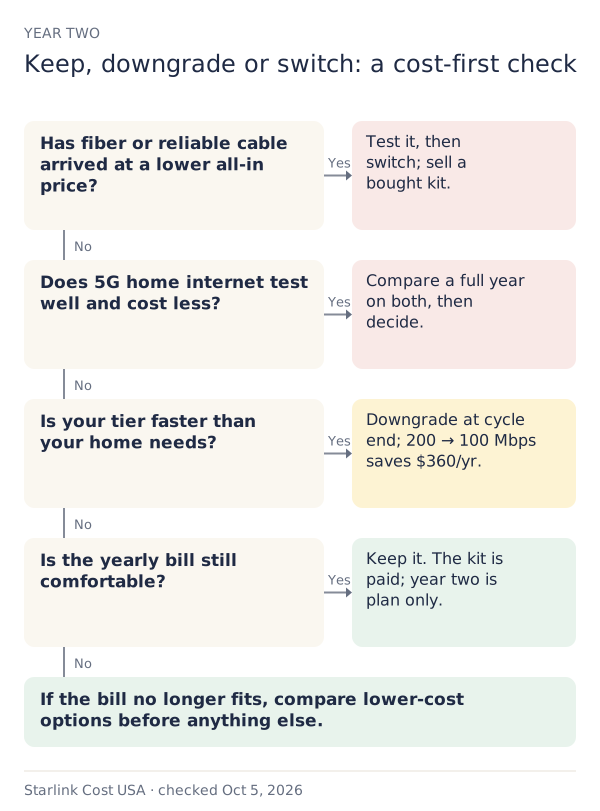
- Has fiber or reliable cable become available? If it’s cheaper all-in and works at your address, it usually wins. Switch after testing it, and sell the kit if you bought it. See is Starlink worth it if fiber is coming?
- Does 5G home internet test well at your address now? Coverage changes. If a trial works and the price is lower, compare on the worksheet in Starlink vs 5G home internet.
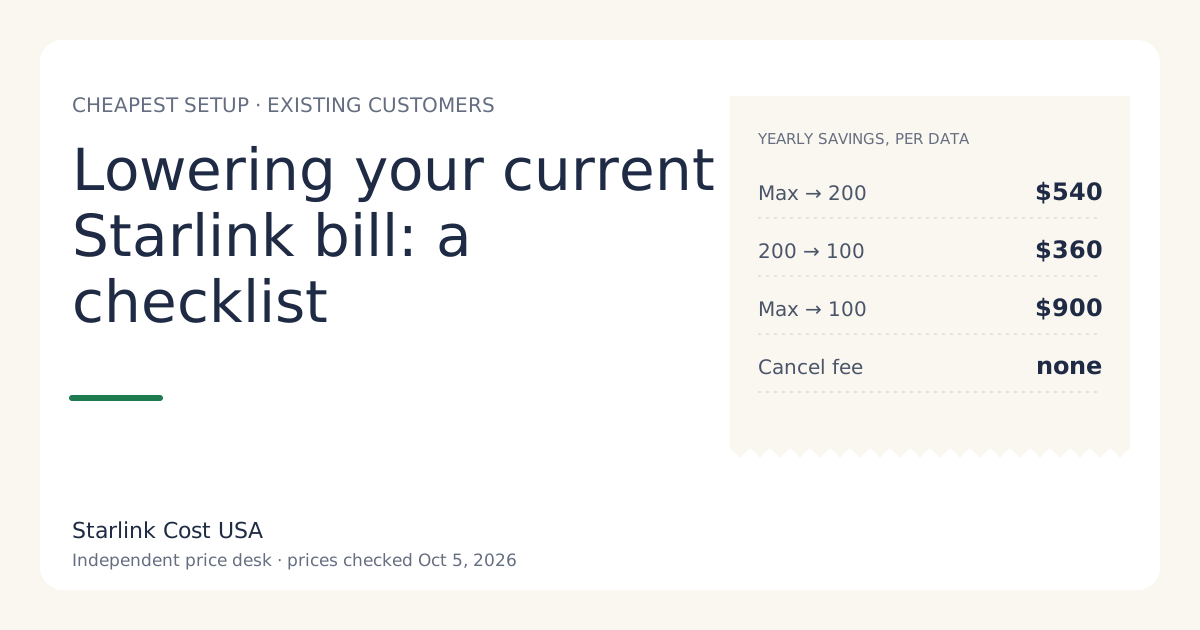
- Do you use your tier’s speed? If not, downgrade instead of switching providers. Residential 200 to 100 Mbps saves $360 a year where offered; Max to 200 Mbps saves $540.
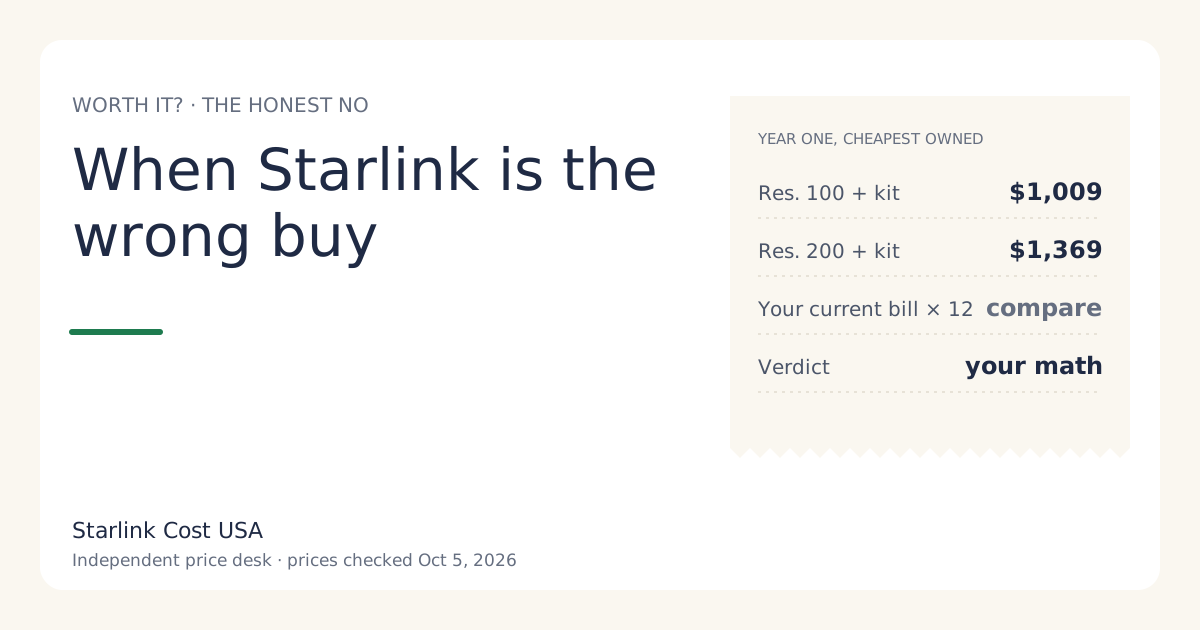
- Is the bill still comfortable? Plan prices rose in May 2026 (our price history has the dates). If the yearly total no longer fits your budget, lower-cost options come first; our when Starlink is the wrong buy list covers them.
If none of these applies, keeping it is the low-effort choice and probably the right one.
Worked example: two households at the one-year mark
Household A bought a kit and has been on Residential 200 Mbps for a year. Year one cost $1,369 before tax. A cable company now offers service at the address. Their comparison for year two:
- Keep Starlink: 12 × $85/mo = $1,020.
- Switch to cable: 12 × the cable quote, plus any installation and equipment fees, minus whatever the kit sells for.
If cable is cheaper on that sum and performs well in a trial, switching wins. The $349 kit they paid last year isn’t in either line.
Household B is also on Residential 200 Mbps, has no other option at the address, and checked the app: their busiest hour rarely needs anywhere near the cap. Their move is a downgrade, not a switch, where Residential 100 Mbps is offered:
- Year two on 200 Mbps: $1,020.
- Year two on 100 Mbps: $660, saving $360.
Time the downgrade for the end of a billing cycle: an immediate downgrade doesn’t refund the rest of the month. Details in downgrading mid-cycle.
What can make year two cost more than you planned
- A price increase. The May 2026 increase reached existing customers from bills on or after June 18, 2026. See are existing customers kept on old prices?
- A promo ending. If year one included a promotional price, year two is at the regular price. Check your bill for an end date.
- Hardware out of warranty. Starlink’s limited warranty on a bought Standard kit runs 12 months from purchase; after that a failure is your cost. See Starlink warranty and repair costs.
- A move. Changing your service address can bring a demand surcharge in some areas: one-time, in high-demand areas, when you buy, activate, change plan or move into one; refunded with a 30-day return.
Common mistakes
- Counting the kit in year two. It’s paid; leave it out of the keep-or-switch math.
- Comparing Starlink’s plan price with another ISP’s promo price. Use the price after any promo ends.
- Switching providers when a downgrade would do. If service is fine and only the bill bothers you, try the lower tier first.
- Cancelling a rental and forgetting the return. The unreturned-kit charge is full retail price of the kit if not returned within 30 days of cancelling.
What we don’t know
- What your kit would sell for. We don’t publish resale prices.
- Whether plan prices will change during your year two. Nobody can promise that.
- How alternatives perform at your address; only a trial shows that.
What to do next
- Check your bill for the current plan price, any promo end date, and any commitment offer.
- Run year two (12 months, no kit) in the calculator on your tier and the next one down.
- Get one quote from any alternative at your address, and compare all three on the worth-it guide.