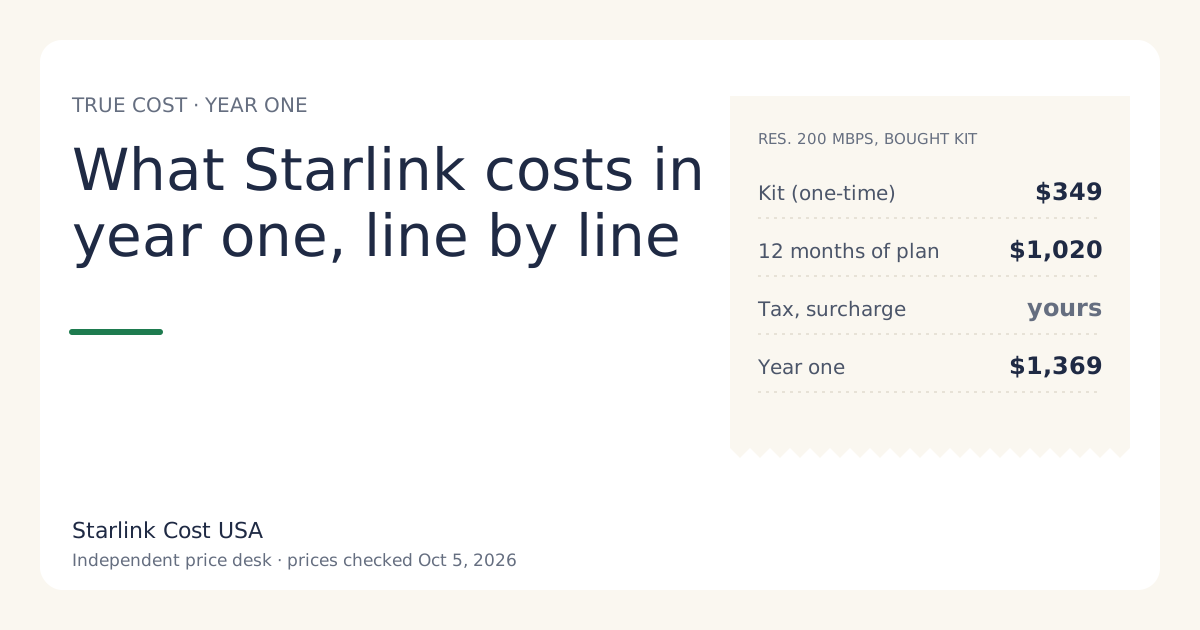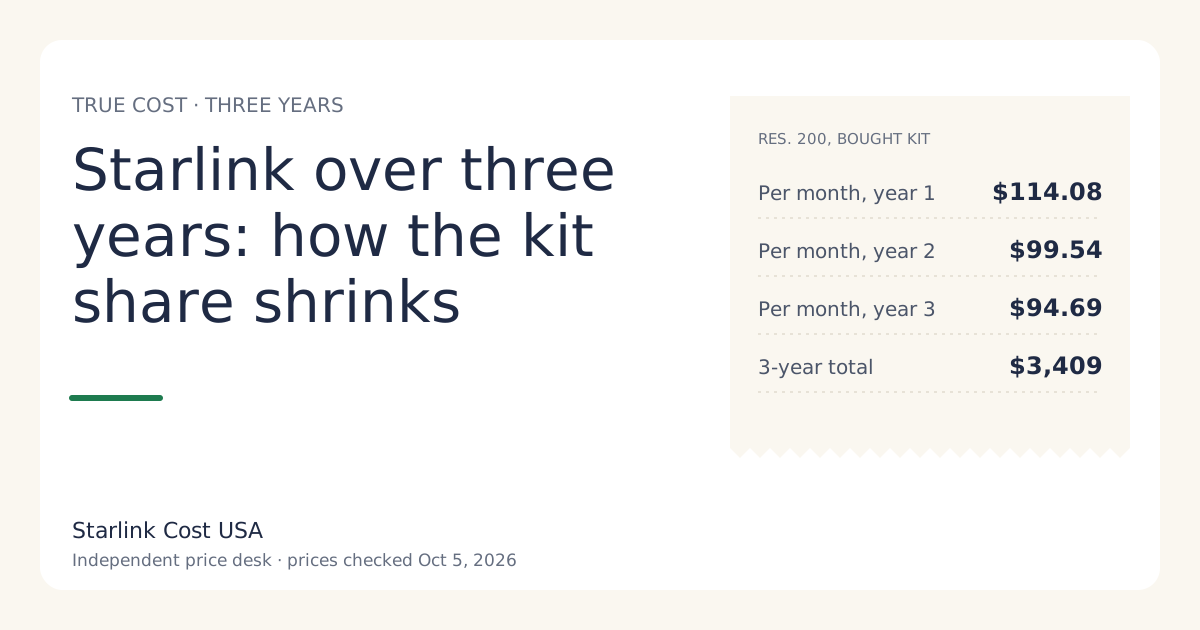
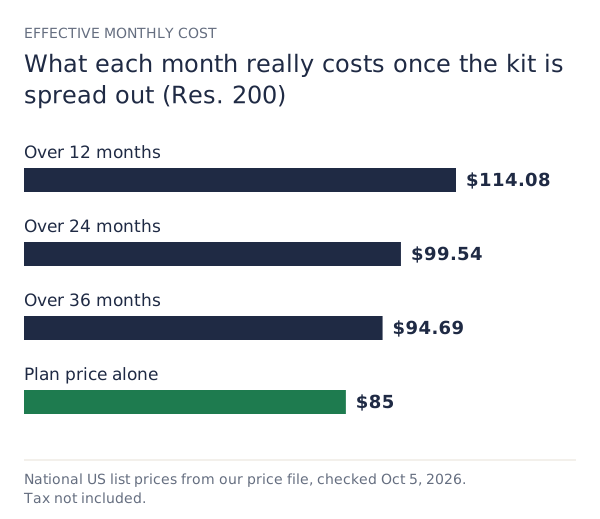
Over three years, Starlink Residential 200 Mbps with a bought kit costs $3,409 before tax at today’s US list prices, which is $94.69 a month once the $349 kit is spread out. That’s only $9.69 a month above the plan price. Over 36 months the hardware stops being the big decision; the tier you pick is.
This is the number to use if you expect to keep the service. Year one is right for cash-flow planning; three years is right for deciding whether Starlink is worth it compared with what you have now.
The three-year formula
Three-year total = hardware + (36 × plan) + (36 × rental fee, if any) + surcharge + tax − resale value, if you sell.
Two things change between year one and year three:
- The hardware is still paid once, so its share falls each year.
- Recurring lines (plan, any rental fee, any Standby fee) triple.
That’s why the rent-or-buy answer can flip over a longer horizon, and why a tier difference that looks small per month adds up.
Three-year totals by tier
National list prices checked Oct 5, 2026, bought kit, no surcharge, no tax, prices held flat:
| Plan | Year 1 | Year 2 | Year 3 | 3-year total | Per month |
|---|---|---|---|---|---|
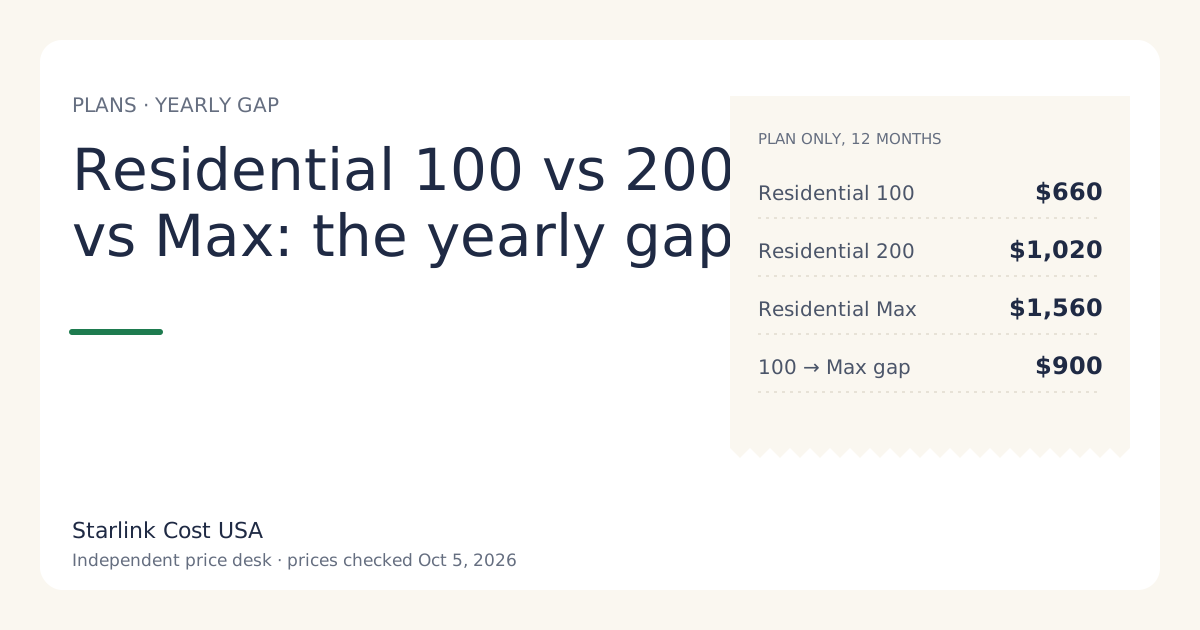
| Residential 100 Mbps | $1,009 | $660 | $660 | $2,329 | $64.69 |
| Residential 200 Mbps | $1,369 | $1,020 | $1,020 | $3,409 | $94.69 |
| Residential Max | $1,909 | $1,560 | $1,560 | $5,029 | $139.69 |
Notice the gap between Residential 100 Mbps and Residential Max over three years: $2,700. That’s 7.74 times the price of the kit. If you’re agonizing over the kit and not the tier, you’re looking at the wrong line.
Rent vs buy over 36 months
Renting replaces the kit price with an activation fee that varies by address (varies by location; shown at checkoutunverified). Whether renting stays cheaper depends almost entirely on the monthly rental fee:
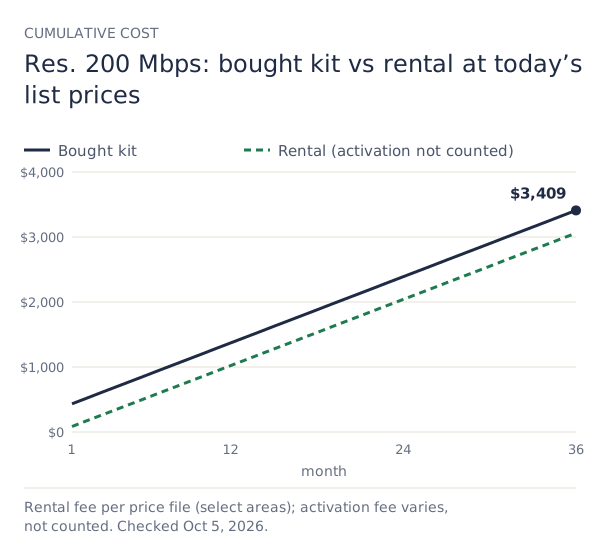
- Rental fee of $0/mo (reported in select areas since July 2026): the two lines never cross. Over 36 months a rental on Residential 200 Mbps costs $3,060 plus activation, against $3,409 for a bought kit. Renting saves the kit price minus your activation fee.
- A monthly rental fee at checkout: buying catches up. Break-even month = (kit price − activation fee) ÷ monthly rental fee. At the $10 a month that applied to new rentals in June 2026 and a zero activation fee, that’s month 35, inside the three-year window.
The rent-vs-buy math has two catches that only show up over a long horizon:
- Rental kits can’t use Standby (not available on select rental kits). If your place sits empty part of the year, a bought kit on Standby at $10/mo beats paying the full plan every month. For a seasonal home that can be the biggest line in three years. Standby itself is a topic for another day; here it’s one input in the calculator.
- Only a bought kit has resale value. We don’t promise any resale price, but a kit you own can be sold or moved; a rental goes back. If you sell, subtract what you get from the three-year total.
The rent vs buy guide has the full break-even chart.
A worked example: two households, same plan
Both on Residential 200 Mbps for 36 months, no surcharge, no tax.
Household A, full time, rents in a $0/mo-fee area. 36 × $85 = $3,060 + activation. Per month: $85 plus activation ÷ 36.
Household B, buys the kit, sells it after three years. $349 + 36 × $85 = $3,409, minus whatever the kit sells for. If B sells it for a third of the list price (a hypothetical, not a market price), the net is $3,292.67.
Neither choice is wrong. A is cheaper as long as the activation fee is under the kit price. B keeps options open: Standby, moving the kit, resale.
What could change the three-year number
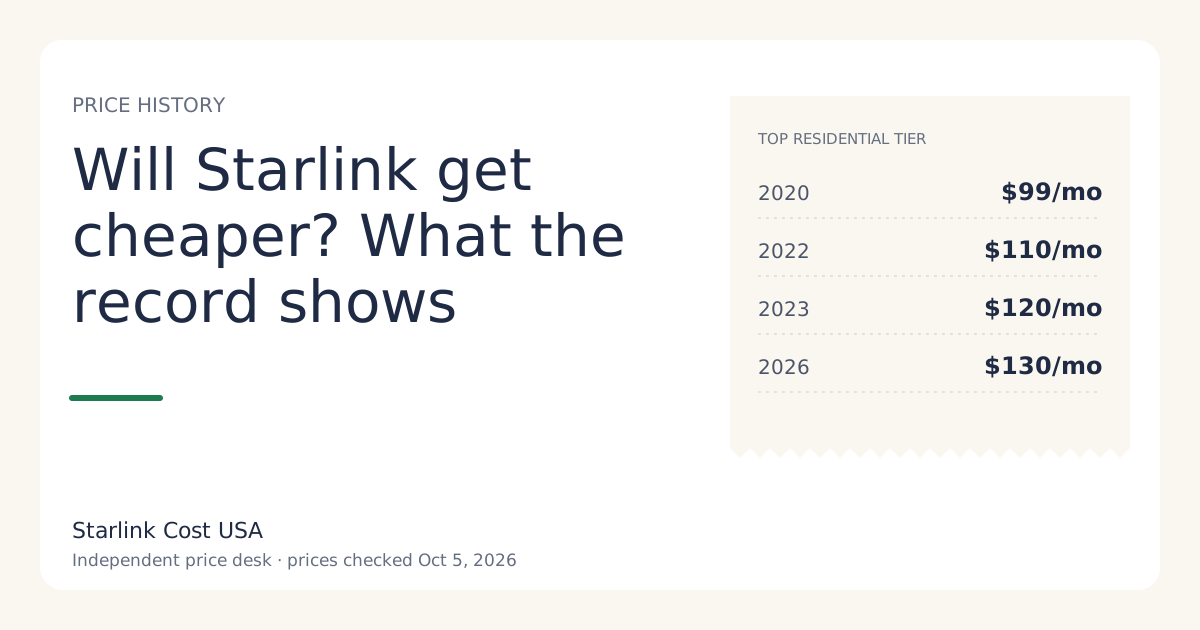
Price changes. US plan prices have moved several times. The top Residential tier went from $99 to $110 in 2022, to $120 in 2023 (in limited-capacity areas), and to $130 in 2026. Existing customers were moved to the 2026 prices on bills from June 18, 2026. Our price history has every dated change. A simple stress test: add 10% to the plan line for years two and three. On Residential 200 Mbps that adds $204.
Tier changes. Downgrading after year one is the fastest way to cut a three-year total. Moving from Max to 200 Mbps for years two and three saves $1,080.
Hardware failure. The Standard kit’s limited warranty is 12 months from the original purchase. After that, a failed dish or router is on you if you own it. We don’t have reliable failure-rate data, so we don’t model it; some owners set aside a small reserve each year instead.
A surcharge. Spread over 36 months, a one-time surcharge costs a third as much per month as it does over 12. It doesn’t get smaller in dollars.
Tax. Multiply the whole total by (1 + your combined rate).
Common mistakes with long-horizon math
- Comparing year one with someone else’s monthly bill. Use the same horizon on both sides. Three years of your current ISP versus three years of Starlink is a fair test.
- Forgetting the rental fee can change. It went from zero to $10 and back to $0 for new orders in select areas within two months in 2026. If your checkout shows a fee, use it.
- Ignoring Standby for part-time homes. It’s the biggest swing factor for cabins and seasonal places, and it rules out renting.
- Assuming prices go down. The record shows mostly increases for plans and decreases for kits. See will Starlink get cheaper?
What we don’t know
We don’t know your activation fee, your tax rate, whether your address will see a surcharge or a promo, or what plan prices will be in 2028. Those are exactly the inputs the calculator asks for.
What to do next
- Put your plan and kit path into the 36-month calculator and add your tax rate.
- Compare it with 36 months of your current bill, including any rental fees and expected increases. If you’re weighing tiers, read Residential 100 vs 200 vs Max.
- If renting looks cheaper, check that your checkout really shows no monthly rental fee before you choose it.