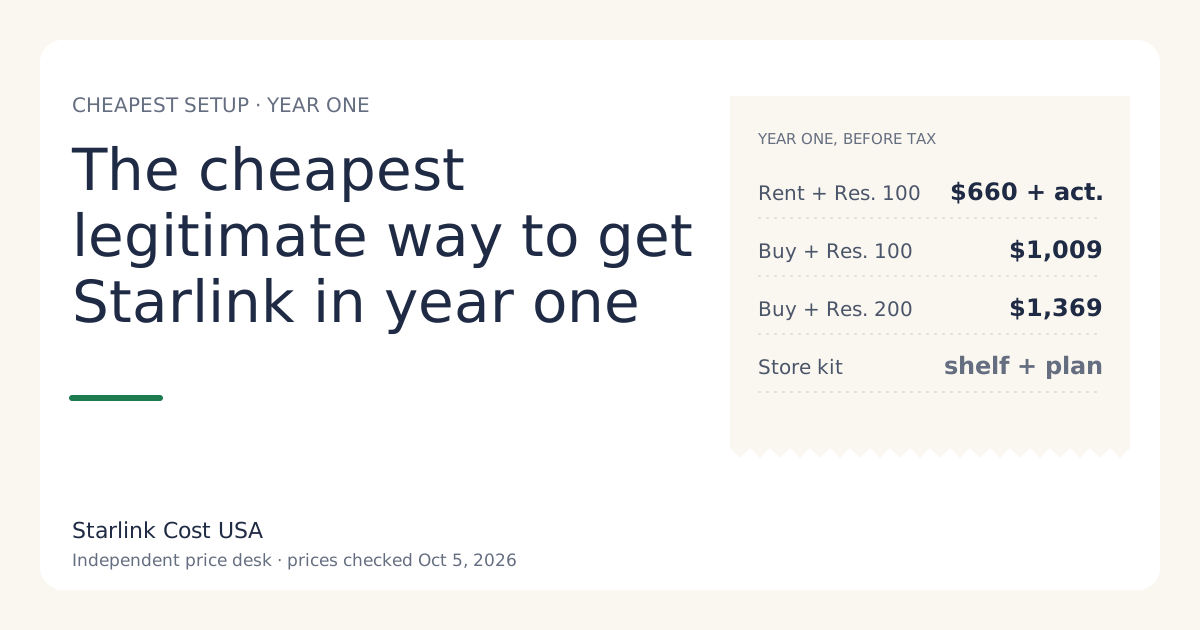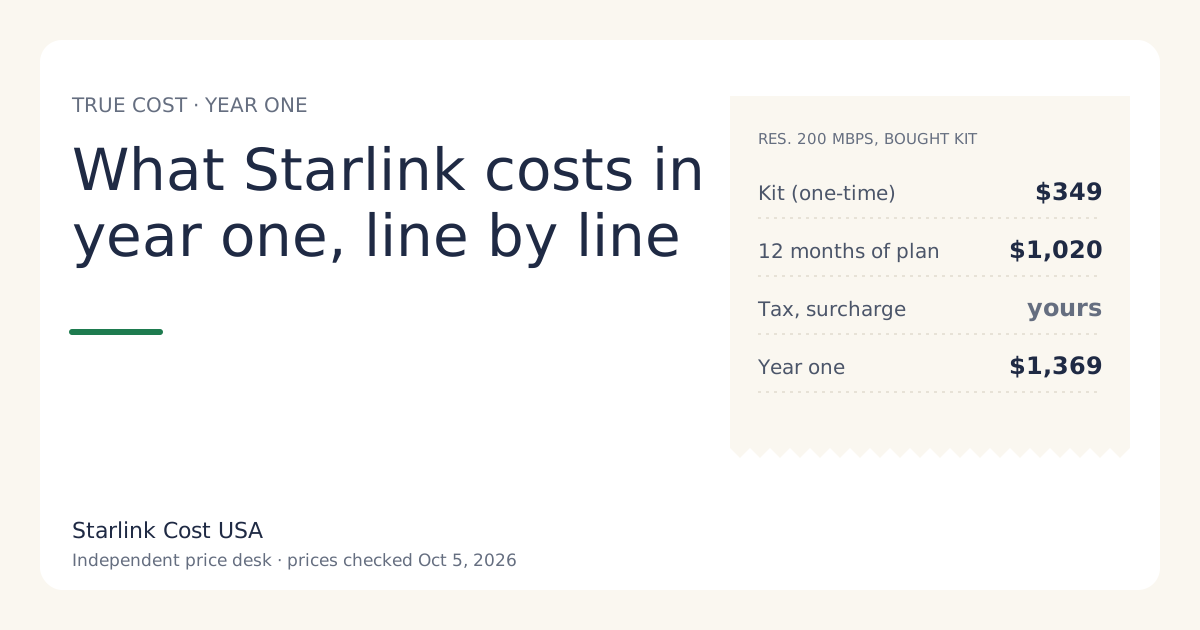
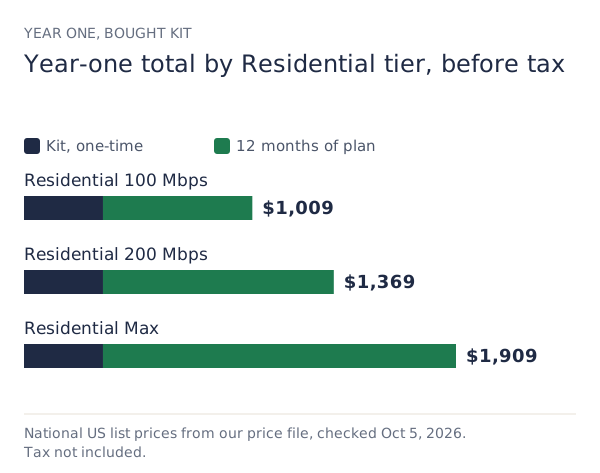
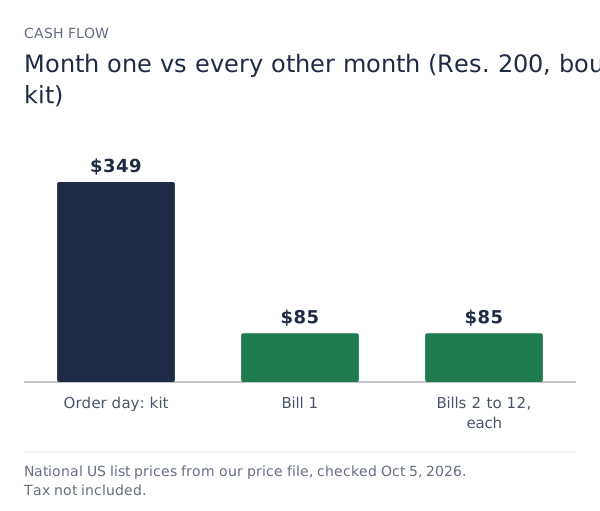
On national US list prices checked Oct 5, 2026, Starlink’s first year costs $1,369 before tax for the most common setup: a bought kit ($349) plus 12 months of Residential 200 Mbps ($85/mo). The range across Residential tiers is $1,009 to $1,909. Add your sales tax and any one-time demand surcharge your checkout shows, and that’s your real year one.
Below is every line that can appear, which ones are fixed, which ones depend on your address, and the mistakes that make a year cost more than it should.
The year-one formula
There are only four kinds of money in a Starlink year:
- Hardware, once. A bought kit, a store kit at its shelf price, or a rental activation fee.
- Service, every month. Twelve bills at your plan’s price, plus a monthly rental fee if your area charges one.
- Address-based one-offs. A demand surcharge in busy areas, and shipping where it’s charged.
- Tax. State and local sales tax and fees on the kit and the bills.
Written out: year one = hardware + (12 × plan) + (12 × rental fee, if any) + surcharge + tax.
Everything in that formula except tax and the surcharge comes from a published list price. That’s why two neighbors can agree on the plan price and still pay different totals.
Line 1: the hardware
You have three ways to get the dish and router.
Buy it on starlink.com. The Standard kit lists at $349 in our price file. That figure comes from a secondary source, and purchase isn’t offered at every address: some areas see rental only, or a regional discount. You own a bought kit, so you can resell it, move it, and put it on Standby for seasonal use.
Rent it. You pay a one-time activation fee instead of the kit price. The amount is varies by location; shown at checkoutunverified: no Starlink page we can read states a national figure. The monthly rental fee is reported at $0/mo in select areas (it was $10 a month for new rentals from June 2026, per the price history). Rental kits stay Starlink’s property and must go back when you cancel.
Buy it at a store. Retailers sell kits at their own shelf prices, with their own return rules. Type the shelf price into the store kit vs starlink.com comparison to see whether it beats the website for your horizon.
The hardware line is the one that makes year one so much bigger than year two. On Residential 200 Mbps, a bought kit is 25% of the year-one total.
Line 2: twelve monthly bills
The plan price is the biggest part of any year. Current US Residential prices from our price file:
| Plan | Monthly | 12 months | Speed |
|---|---|---|---|
| Residential 100 Mbps | $55/mo | $660 | capped at 100 Mbps |
| Residential 200 Mbps | $85/mo | $1,020 | capped at 200 Mbps |
| Residential Max | $130/mo | $1,560 | up to 400+ Mbps |
Residential 100 Mbps is listed for select areas only. If your address doesn’t show it, the cheapest tier you can actually buy is Residential 200 Mbps, and every number in this article should use that row. Residential Max includes free professional installation and eligibility for an extra Mini kit, which matters if you were going to pay for installation anyway (see Residential 100 vs 200 vs Max).
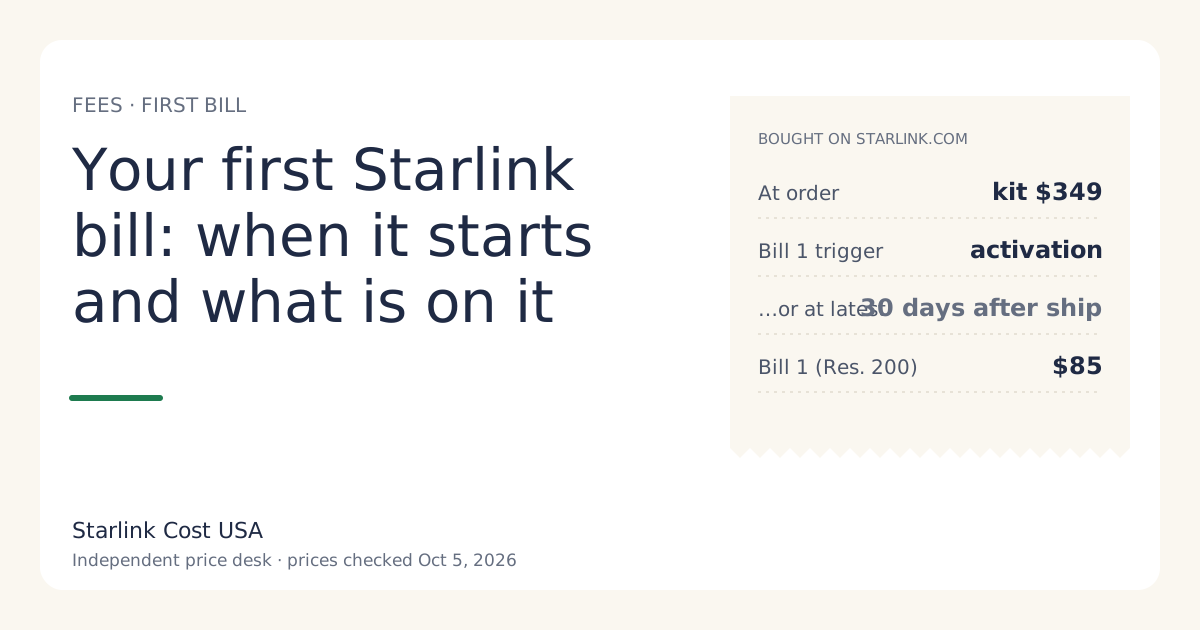
When the bills start. Buying on starlink.com charges the kit at order, not the first month. Starlink’s support page says the first bill comes on activation or 30 days after shipping, whichever is first. So “12 months” means 12 bills from activation, not from the order date. More on that in your first Starlink bill.
Line 3: the address-based one-offs
Demand surcharge. In high-demand areas, checkout can add a one-time charge. Starlink describes it as one-time, in high-demand areas, when you buy, activate, change plan or move into one; refunded with a 30-day return. On the amount, our price file says: no official amount; depends on the addressunverified. So we don’t put a number in any total. If your checkout shows one, add it to year one in full. On a three-year view it’s spread thinner, which is one reason the three-year total is a fairer way to judge a big surcharge.
Shipping. Our price file lists shipping as about $20 on rentals (reported); variesunverified. Check the cart.
Line 4: tax
Sales tax and regulatory fees apply to the kit and the monthly service in many states, at rates that vary by county. We don’t publish a national number because there isn’t one. As a planning example only: at a hypothetical 7% combined rate, a $1,369 year one becomes $1,464.83. Use your own rate.
Three worked examples
All three use national list prices checked Oct 5, 2026, no surcharge, and no tax.
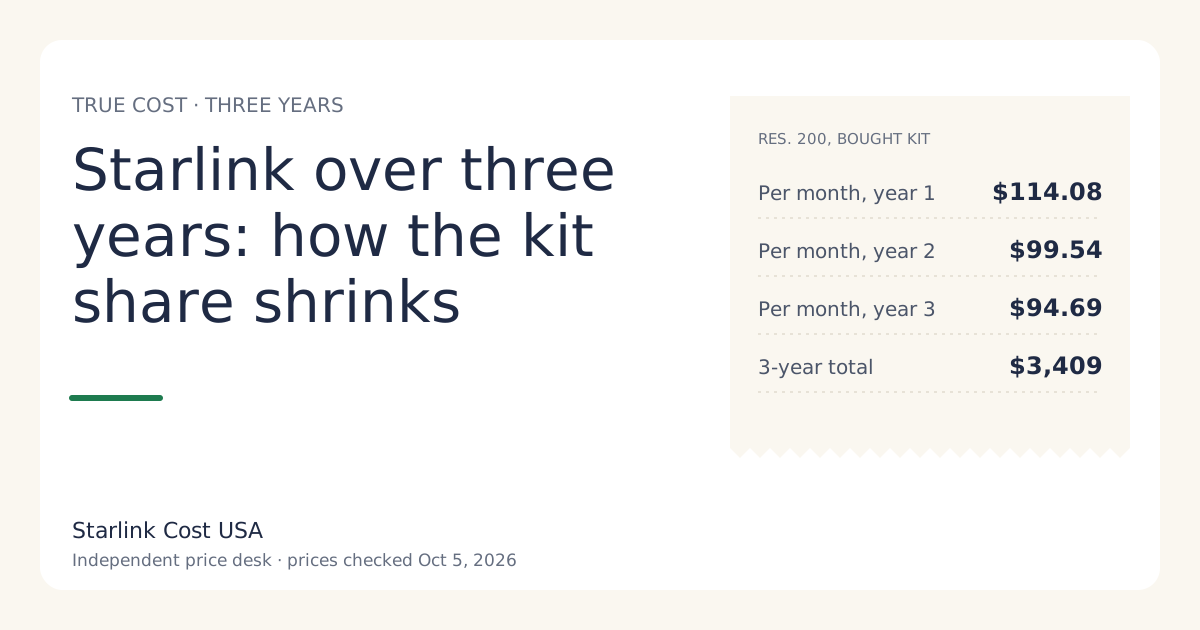
A full-time home on Residential 200 Mbps, bought kit. Kit $349 + 12 × $85 = $1,369. Effective monthly cost: $114.08.
The same home, rented kit, in an area with a $0/mo rental fee. Activation fee (yours) + 12 × $85 = $1,020 + activation. If the activation fee your checkout shows is below $349, renting wins year one. Whether it wins over three years depends on the rental fee; see the rent vs buy guide.
A light-use household on Residential 100 Mbps, bought kit (select areas). Kit $349 + 12 × $55 = $1,009. That’s $360 a year less than the 200 Mbps tier, at a lower speed cap.
What isn’t in the year-one number
Some costs are real but optional, and they vary too much to put in a national total:
- A mount or pole if the included base won’t give a clear view of the sky. Price it after you’ve checked the obstruction tool in the Starlink app.
- Professional installation, unless you’re on Residential Max, which includes it.
- Mesh Wi-Fi or a longer cable for big houses or a far-off dish spot. See what the equipment costs.
- Electricity. A Standard kit averages 75 to 100 watts, which is roughly 54 to 72 kWh a month. We worked it out in what Starlink adds to your electric bill.
- A UPS or surge protector if your power drops often.
None of these are required, but if you know you’ll need one, add it to your own year one now. A year-one budget that ignores the mount you’ll obviously need isn’t a budget.
Common mistakes that raise year one
- Quoting an old monthly price. Many pages still show pre-2026 prices. Residential 200 Mbps was $80 until the May 2026 increase; our price history has every dated change.
- Forgetting the kit is charged at order. If you’re budgeting month by month, the order-day charge is the one that surprises people.
- Counting from the order date. Twelve bills start at activation. If the kit sits in the box for 30 days after shipping, billing starts anyway.
- Missing the 30-day return window. A kit bought on starlink.com can be returned undamaged within 30 days for a full hardware refund (full hardware refund if returned undamaged within 30 days). If the service doesn’t work at your spot, that window is the cheapest exit you’ll get.
- Paying for a tier you don’t need. Moving from Max to 200 Mbps saves $540 a year.
What we don’t know
- The rental activation fee at your address. It varies, and no starlink.com page we can read gives a national figure. That’s why rental totals here say “+ activation”.
- Whether prices will change in the next 12 months. Starlink changed US prices several times between 2022 and 2026. Our year-one figures use today’s list prices only. If you want to stress-test a budget, add 10% to the plan line and see whether you’d still go ahead.
- Regional promos. Some addresses see a lower promotional price or a kit discount. They show only at checkout, and we leave them out of national figures.
What to do next
- Run your setup through the calculator: plan, kit path, your tax rate and any surcharge your checkout shows.
- Open the starlink.com checkout with your service address and write down every line before paying. The before-you-order checklist lists what to note.
- If year one looks too high next to what you pay today, read when Starlink is the wrong buy before you order.