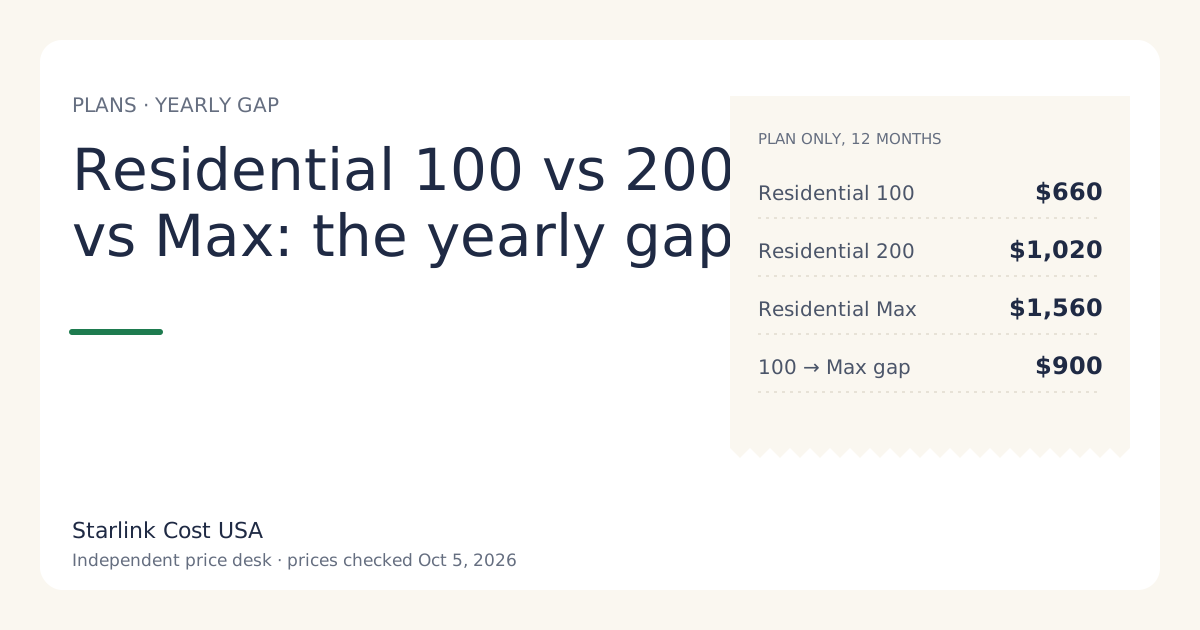
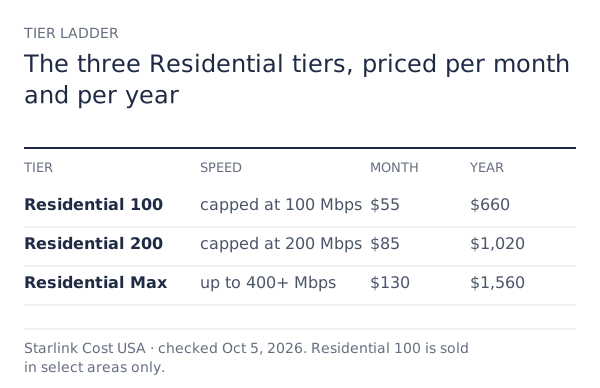
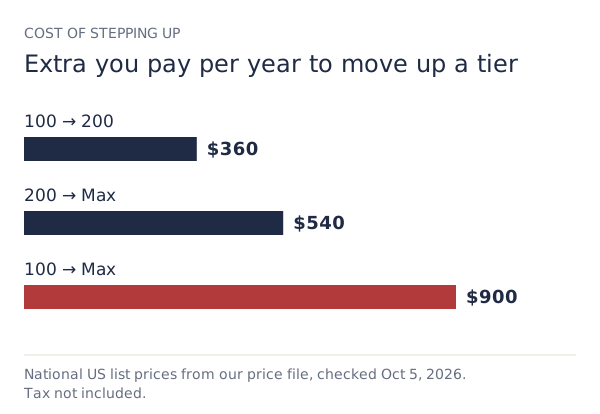
Residential 100 Mbps costs $660 a year, Residential 200 Mbps $1,020 and Residential Max $1,560, plan only, at US list prices checked Oct 5, 2026. Moving from 100 to 200 adds $360 a year; moving from 200 to Max adds $540. The kit is the same on every tier, so the plan is the whole difference.
The three tiers side by side
| Residential 100 Mbps | Residential 200 Mbps | Residential Max | |
|---|---|---|---|
| Monthly | $55/mo | $85/mo | $130/mo |
| Per year | $660 | $1,020 | $1,560 |
| Three years | $1,980 | $3,060 | $4,680 |
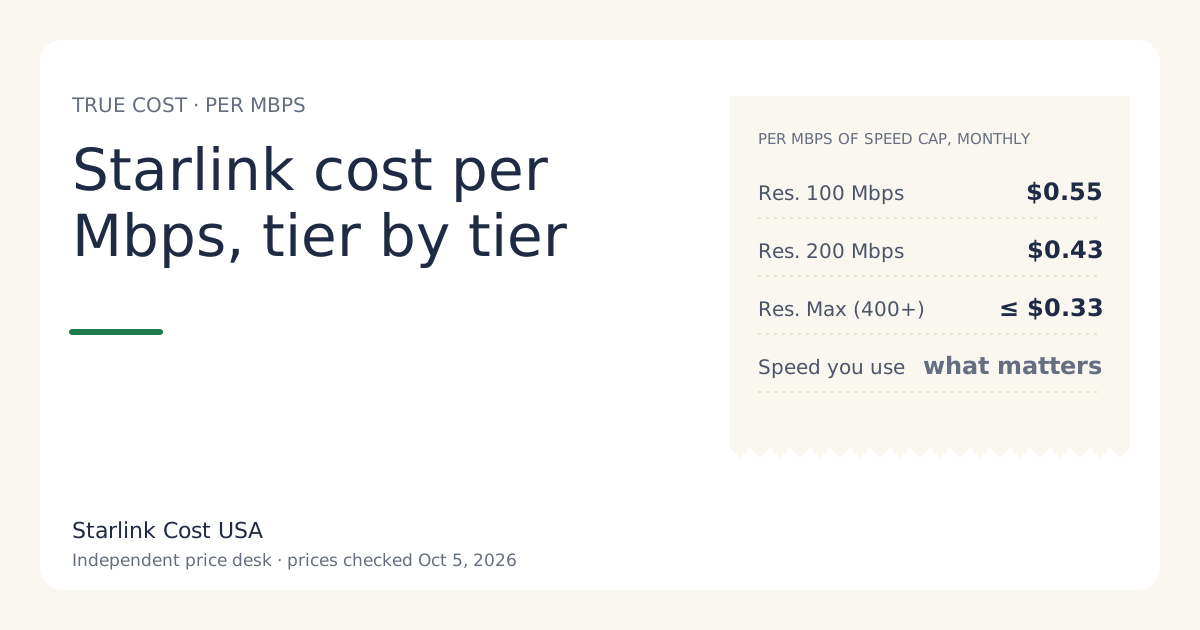
| Speed (plan wording) | capped at 100 Mbps | capped at 200 Mbps | up to 400+ Mbps |
| Data (plan wording) | unlimited data | unlimited data | unlimited data |
| Extras | none listed | none listed | free professional installation and eligibility for an extra Mini kit |
| Where sold | select areas only | US | US |
Add the kit or rental activation once, plus tax. The kit price ($349 list for a bought Standard kit) is the same whichever tier you choose.
What the step up buys you
From 100 Mbps to 200 Mbps: $30 a month, $360 a year. You get a higher speed cap. That’s the whole difference on paper. It matters when several people stream, upload or join video calls at once, or when you move big files often.
From 200 Mbps to Max: $45 a month, $540 a year. You get the top speed wording (up to 400+ Mbps) plus free professional installation and eligibility for an extra Mini kit. The extras have real dollar value only if you’d otherwise pay for them:
- Professional installation. If you were going to hire someone to mount the dish on a roof or pole, Max includes Starlink’s professional installation. The value is whatever you’d have paid, which only a local quote can tell you.
- The extra Mini kit for travel. Eligibility for an extra Mini kit is part of the Max bundle per Starlink’s support page. If you’d have bought a Mini anyway, compare with its “starts at” price of $149. Mini setup and travel use are outside what this site covers; we only count the money.
If neither extra applies to you, Max costs $540 a year for speed alone.
Who should pick which
These are cost-first suggestions, not speed promises. We have no usage data about your home.
Residential 100 Mbps, if it’s offered at your address:
- One or two people, normal streaming, browsing and video calls.
- A backup line or a second home where you want the lowest monthly price.
- Anyone who wants to start low and step up only if they notice a problem.
Residential 200 Mbps:
- The floor if 100 Mbps isn’t offered.
- Busier homes: several streams at once, a remote worker plus kids, regular large uploads.
Residential Max:
- You’ll use more than 200 Mbps, or the professional installation saves you a separate bill.
- You want the extra Mini kit and would have bought one.
- Not a good fit if you’re choosing it “just in case”. That’s $540 a year of insurance against a problem you may never have, and you can upgrade later.
Worked example: picking a tier on a three-year view
A household of four, bought kit, no surcharge, no tax, 36 months:
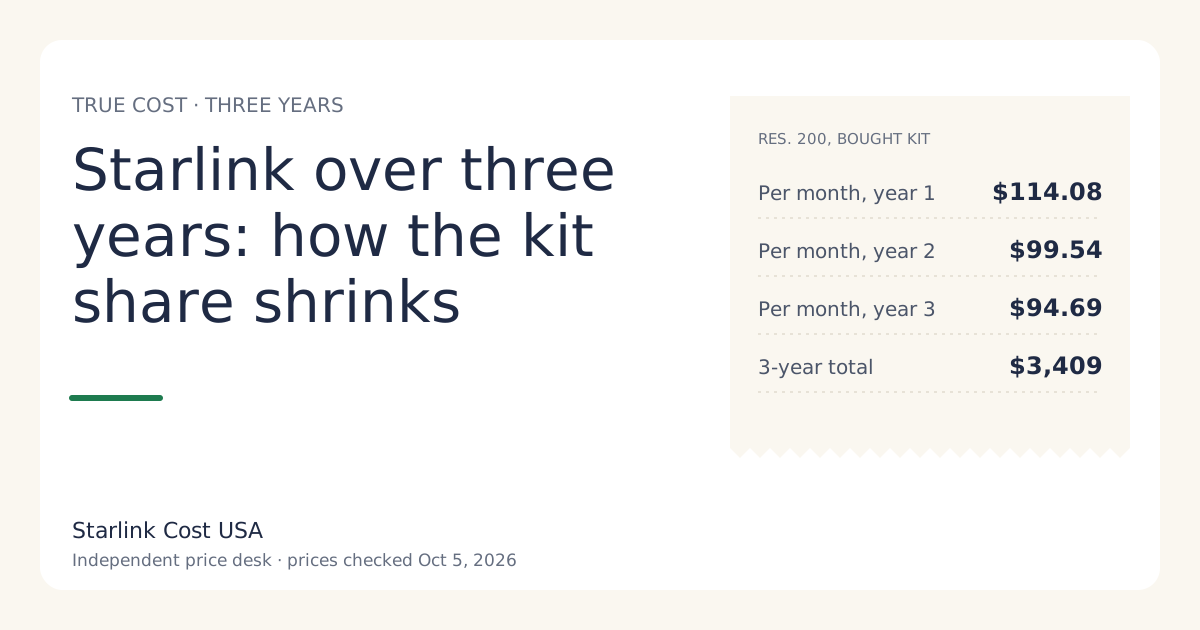
- Residential 200 Mbps: $349 + 36 × $85 = $3,409
- Residential Max: $349 + 36 × $130 = $5,029
The difference is $1,620. Suppose the household was quoted a few hundred dollars for a roof install (a hypothetical; get your own quote). With Max, the install is included, so the real gap shrinks by that quote. If the quote were $540, the three-year gap would fall to $1,080.
Switching later: what it costs
You aren’t locked into the tier you order. Plan changes happen in your Starlink account. Two things to know:
- Proration. A change mid-cycle can add a partial-month line to the next bill. It’s usually small, but it’s why the bill after a switch doesn’t match either plan price. See your first Starlink bill for how cycles work.
- Surcharge on a plan change. Starlink’s support page lists a plan change as one of the moments a one-time demand surcharge can apply in high-demand areas (one-time, in high-demand areas, when you buy, activate, change plan or move into one; refunded with a 30-day return). Check what your account shows before confirming a switch.
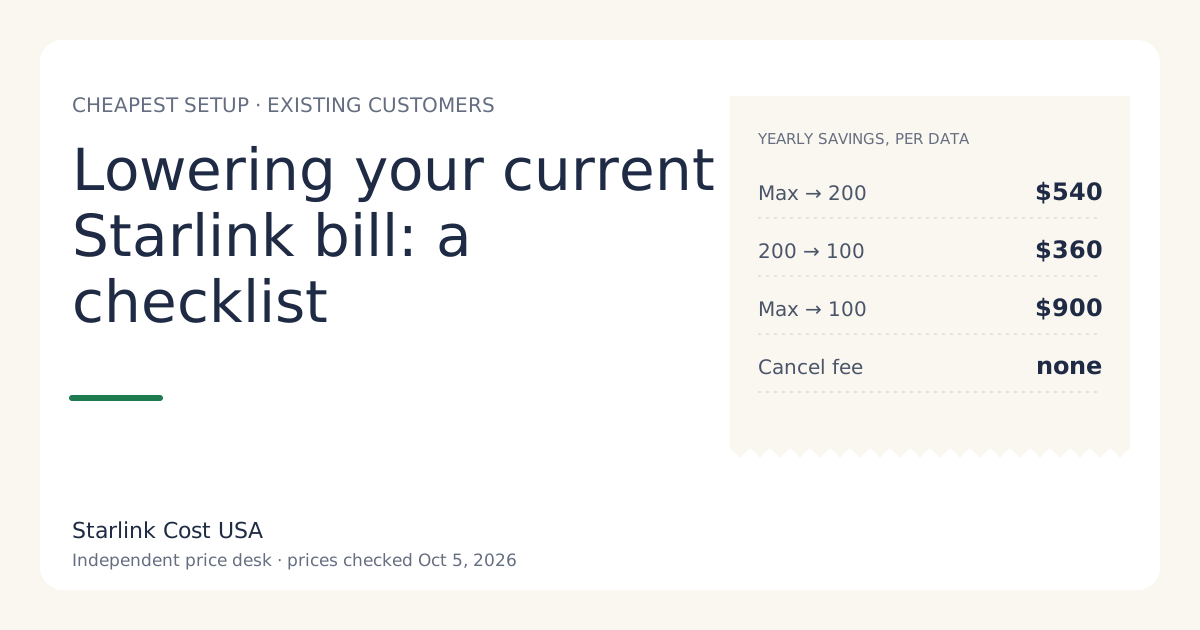
Downgrading is the simplest way to cut an existing bill. Max to 200 Mbps saves $540 a year; 200 to 100 saves $360 where 100 is offered. More in lowering your current Starlink bill.
Plan names: why old articles look different
If you’re reading older reviews, the names have changed. In the January 2026 restructure, the old “Residential” plan became Residential Max and the old “Residential Lite” became Residential 200 Mbps, while Residential 100 Mbps was added as a new entry tier. Prices then rose in May 2026: Residential 200 Mbps went from $80 to $85. Our price history maps each old name to the current one.
Common mistakes
- Choosing Max for the extras you won’t use. Count only extras you’d have paid for.
- Assuming 100 Mbps is available everywhere. It’s select areas only. Plan around 200 Mbps until checkout shows otherwise.
- Buying speed to fix Wi-Fi. If one room is slow, a faster plan won’t fix a weak Wi-Fi signal. Check router placement first; mesh and cable costs are in what the equipment costs.
- Ignoring the surcharge on a switch in busy areas.
What we don’t know
We don’t publish real-world speeds per tier: we don’t have measurements we trust for your area, and speeds vary with location and time of day. The speed wording in the table is Starlink’s plan wording, not a guarantee.
What to do next
- Check which tiers your address is offered on starlink.com.
- Run the lowest offered tier and the next one up through the calculator at 12 and 36 months.
- Start with the lower tier unless you know you need more. Upgrading later is a plan change; downgrading later just stops a cost you didn’t need.