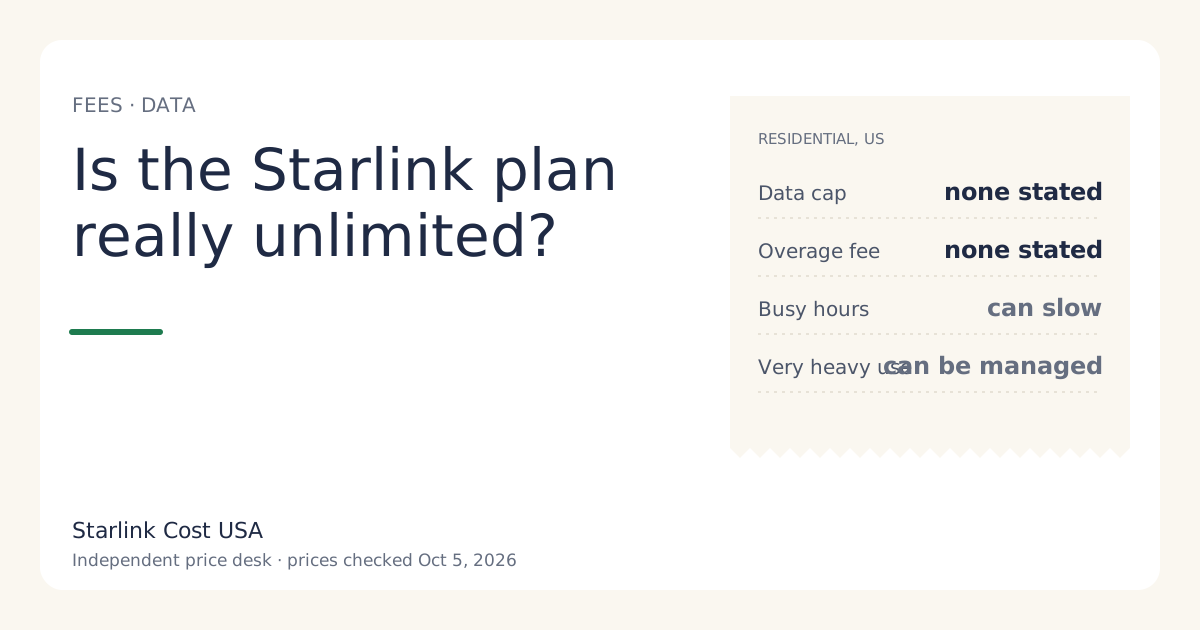
Yes on cost, no on speed. Starlink describes its US Residential plans as unlimited data: no monthly cap and no overage fee in the plan wording, so heavy use doesn’t make your bill bigger. What “unlimited” doesn’t promise is the same speed at all hours. Speeds can drop when the network is busy, and Starlink can apply network management to users who consistently use far more than a typical home. Both cost you speed, not money.
What the plan wording says
From Starlink’s Residential plans page (read via search snippet, Oct 5, 2026): the Residential tiers come with unlimited data, and each has a speed cap:
| Tier | Monthly | Speed wording | Data wording |
|---|---|---|---|
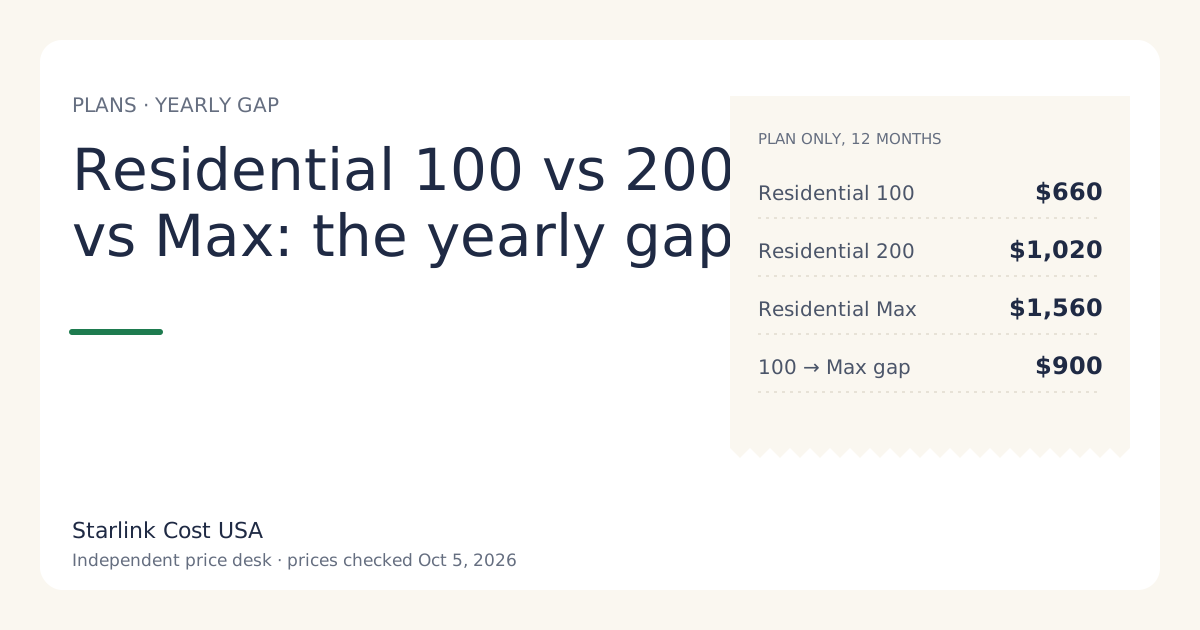
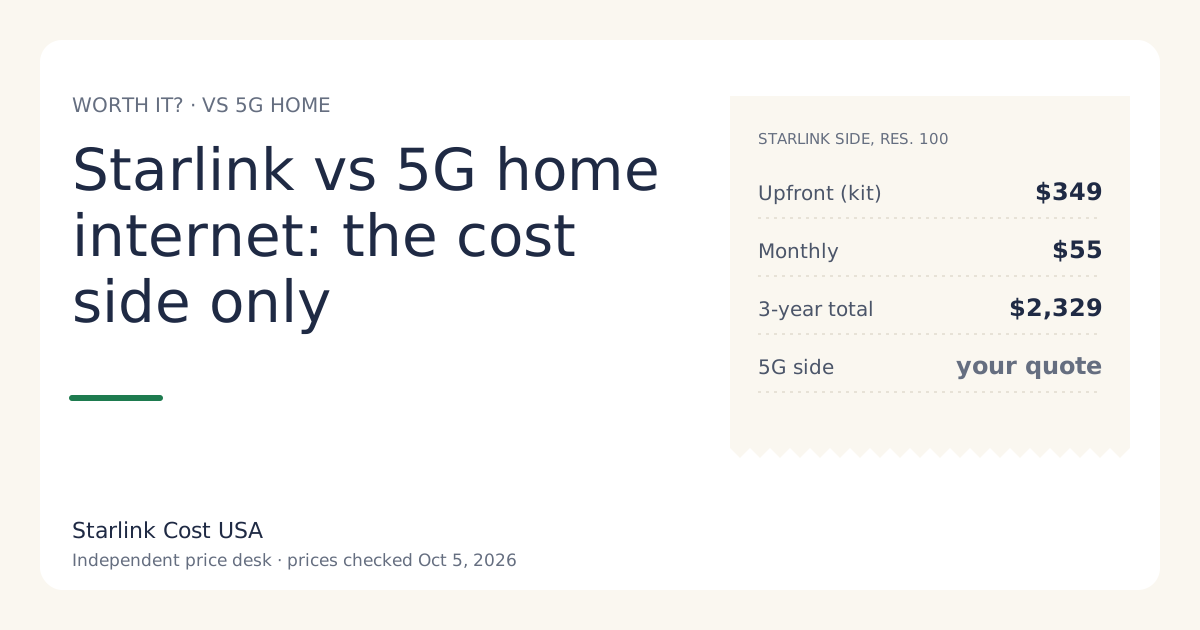
| Residential 100 Mbps | $55/mo | capped at 100 Mbps | unlimited data |
| Residential 200 Mbps | $85/mo | capped at 200 Mbps | unlimited data |
| Residential Max | $130/mo | up to 400+ Mbps | unlimited data |
There’s no data allowance to buy more of and no overage line in our price file. That’s the part that matters for cost.
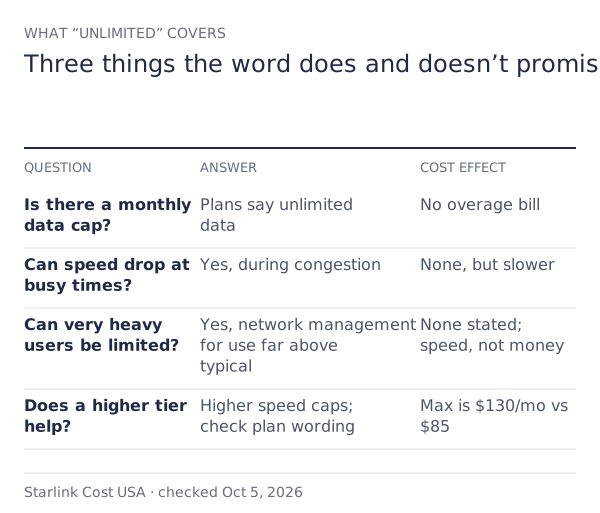
What “unlimited” doesn’t promise
Consistent speed. Satellite capacity is shared among users in an area. At busy times, everyone’s speed can drop. A satelliteinternet.com explainer (dated March 24, 2026) describes Residential as unlimited with no hard caps or overage fees, while noting speeds may fluctuate during peak hours.
Unrestricted use at any volume. The same source describes a fair-use provision: Starlink monitors usage that “consistently exceeds what is allocated to a typical residential user”, and can deprioritize such users. It puts “extraordinary” use at several terabytes in a billing cycle. Starlink doesn’t publish a threshold, so neither do we.
A minimum speed. The speed wording in the table is a cap or an “up to” figure, not a guarantee.
The 2022 “1 TB” rule, and why you still see it
In late 2022, Starlink announced a fair use policy that gave Residential users 1 TB of “Priority Access” data a month, with data beyond that deprioritized, and off-peak hours (11 pm to 7 am) not counted. Many articles and forum threads still repeat it.
Current Residential plan wording describes unlimited data, and the March 2026 explainer we cite describes no hard cap. Treat any page quoting the 1 TB figure as historical unless it’s dated recently and links to current Starlink terms. Our price history is a good reminder of how fast Starlink plan details change.
Can heavy use cost you more money?
On Residential as sold today, we’ve found no mechanism that turns heavy use into a bigger bill:
- No overage fee in the plan wording or our price file.
- No data top-ups to buy on Residential.
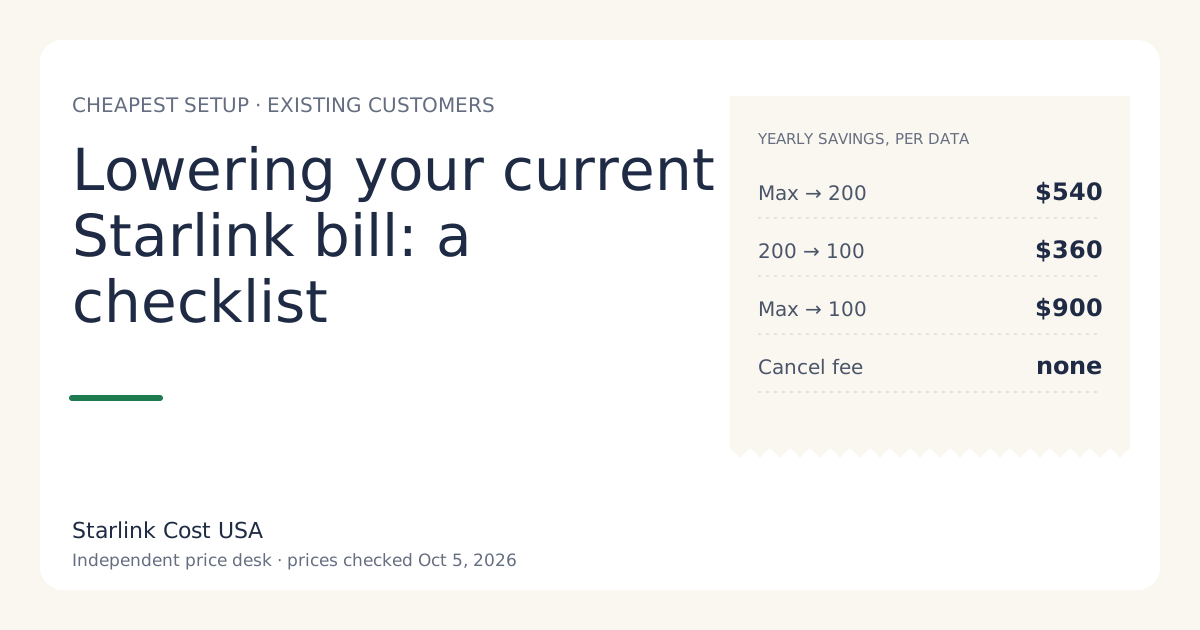
- A plan change is your choice. Moving up a tier raises the speed cap; it doesn’t buy data. Residential 200 Mbps to Max costs $540 a year more.
The real “cost” of very heavy use is slower speed under congestion or network management. If you upload video all day or run a home lab, that’s worth knowing; if you stream and work from home, it’s unlikely to come up.
Who should care
Most households: no. Streaming, video calls, gaming downloads and backups are what Residential is sold for.
Very heavy users: maybe. People who move several terabytes every month (a home server, constant 4K uploads, large game libraries for a big household) are the group network management is aimed at. If that’s you, read the current Starlink terms in full before ordering, and keep the 30-day return in mind: a kit bought on starlink.com returned undamaged within 30 days gets full hardware refund if returned undamaged within 30 days.
People who need hosting or a public IP: that’s a different limitation and a reason Starlink can be the wrong buy.
Compared with capped internet
If you’re on a plan with a data cap and overage fees today, the comparison is worth doing in dollars:
- Add up what you paid in overage fees or extra data over the last 12 months.
- Add 12 months of your current bill.
- Compare with Starlink’s year one: $1,009 on Residential 100 Mbps (select areas) or $1,369 on Residential 200 Mbps with a bought kit, before tax.
If overages are a big part of your current spending, an unlimited plan can close the gap faster than the monthly prices suggest. The 5G home internet comparison has a worksheet for the same exercise.
Common mistakes
- Trusting an old article’s cap. Check the date; plan rules changed several times.
- Upgrading to Max for “more data”. All Residential tiers are described as unlimited data; Max raises the speed cap and adds free professional installation and eligibility for an extra Mini kit.
- Reading “unlimited” as “guaranteed speed”. It isn’t.
- Assuming Roam works the same way. Roam has data tiers; see the price table.
How to check how much data you actually use
Before worrying about limits, find out where you stand:
- Your current provider’s account usually shows monthly usage, especially if you’re on a capped plan today.
- Your router’s admin page often shows traffic per device or per month.
- On Starlink, the app shows usage for the current billing cycle.
A rough sense of scale helps: streaming video uses far more data than browsing or email, and 4K streams use more than HD. If your household’s monthly total is a small fraction of a terabyte, network management for heavy users isn’t something you’ll meet. If it’s several terabytes every month, read the current terms in full before ordering.
Worked example: a heavy-use household’s year
A family of five streams in 4K most evenings, runs two remote jobs, and backs up phones and laptops to the cloud. They’ve been paying overage fees on a capped plan.
- Their current year: 12 × their monthly bill + their overage fees. Suppose (hypothetically) that’s $70 a month plus $300 a year in overages: $1,140.
- Starlink year one on Residential 200 Mbps, bought kit: $1,369 before tax. Year two: $1,020.
- What changes: no overage bills. What might change at their usage: slower speeds at busy times, which costs them nothing in dollars.
In this example, Starlink costs more in year one because of the kit and less in year two. Whether the speed and reliability gain is worth it is their call; the money side is now clear. They’d use the calculator with their own bill and tax rate.
What we don’t know
- The usage level at which Starlink applies network management. It isn’t published.
- How often heavy users are actually deprioritized. We have no data.
- Whether the plan wording will change. It has before.
What to do next
- Read the current plan wording for your tier on starlink.com before ordering.
- Check your current monthly usage from your router or ISP account.
- Pick the tier by speed need, not data fear; Residential 100 vs 200 vs Max has the yearly gaps.