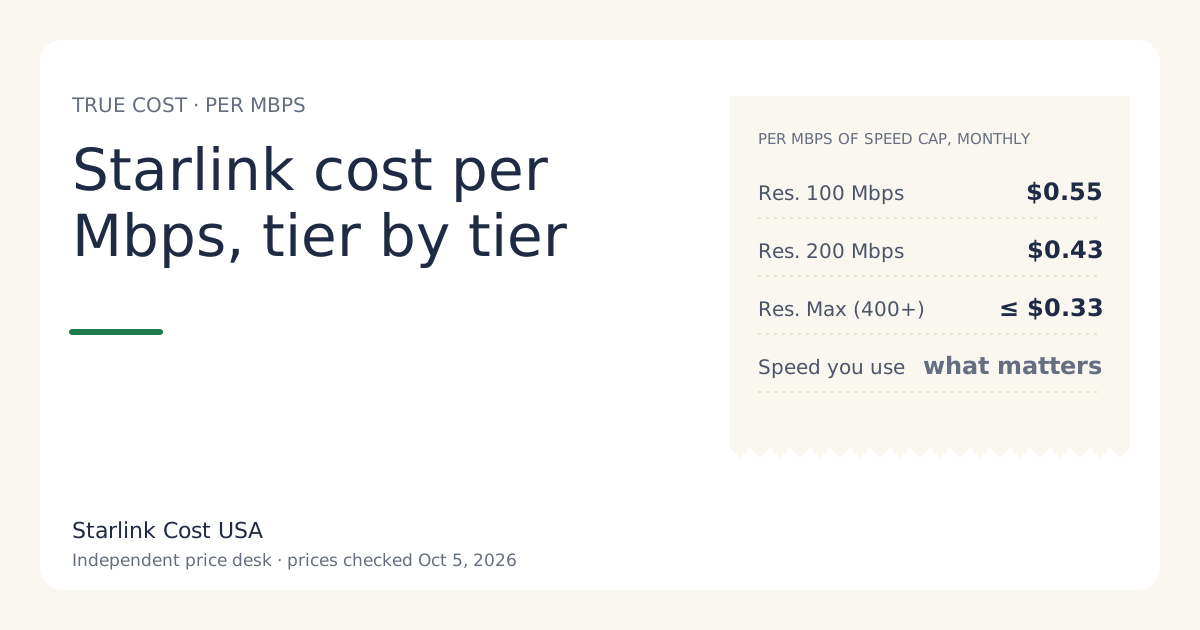
Divide each tier’s monthly price by its speed cap and the top tier looks cheapest: Residential 100 Mbps costs $0.55 per Mbps a month, Residential 200 Mbps $0.43, and Residential Max at most $0.33, on US list prices checked Oct 5, 2026. But cost per Mbps only matters for speed you’d actually use. A household that never needs more than 100 Mbps pays $75 a month extra on Max for headroom it leaves idle.
Use this number to see what each step up buys. Use the prices page and the calculator to decide what to pay.
The three tiers per Mbps
The speed in each plan’s name comes from Starlink’s Residential support page: Residential 100 Mbps is capped at 100 Mbps, Residential 200 Mbps is capped at 200 Mbps, and Residential Max is up to 400+ Mbps. Because Max’s figure is “400+”, we divide by 400 and call the result a maximum: if Max delivers more than 400 Mbps, its cost per Mbps is lower still.
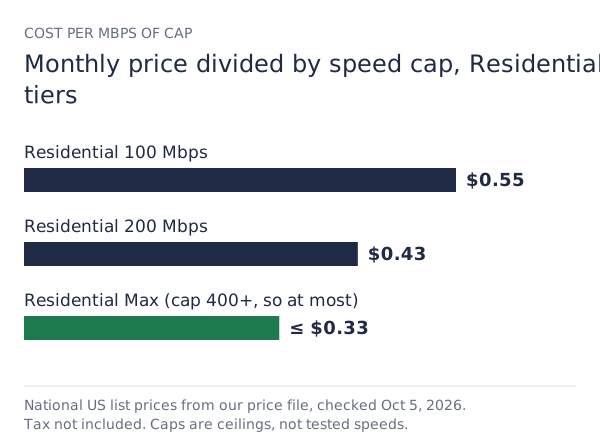
| Tier | Monthly price | Speed cap | Cost per Mbps a month | Yearly price |
|---|---|---|---|---|
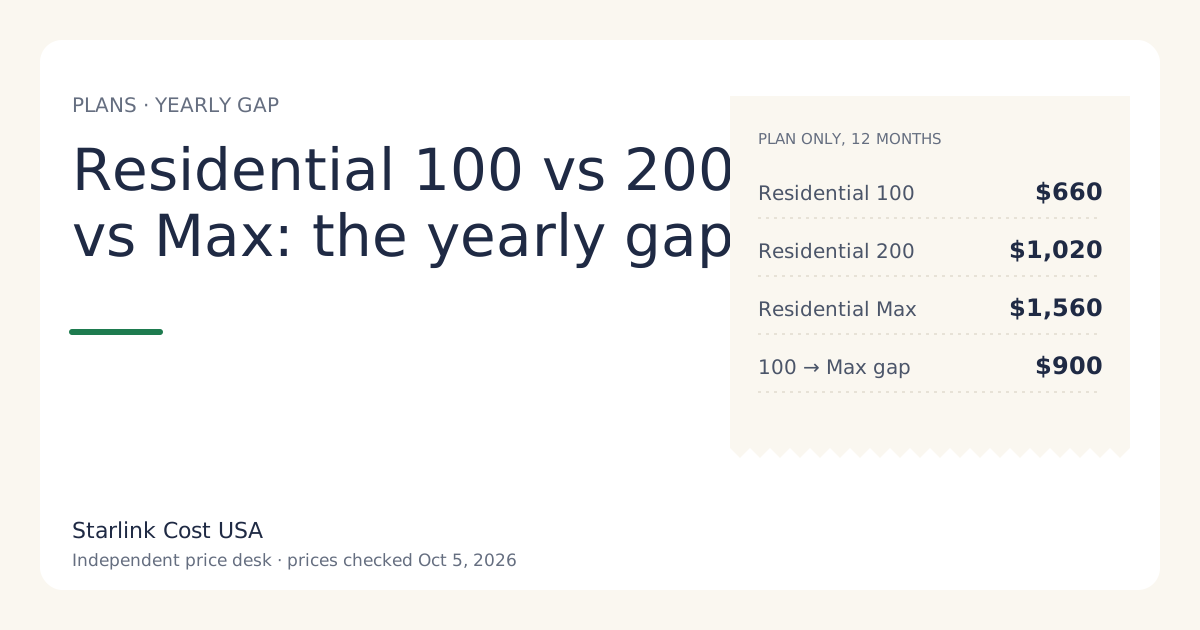
| Residential 100 Mbps | $55/mo | 100 Mbps | $0.55 | $660 |
| Residential 200 Mbps | $85/mo | 200 Mbps | $0.43 | $1,020 |
| Residential Max | $130/mo | 400+ Mbps | at most $0.33 | $1,560 |
The pattern is common across internet plans: the base price covers fixed costs, so each extra Mbps on a higher tier costs less than the first ones. That makes “cheapest per Mbps” a weak buying signal on its own. The cheapest per Mbps is also the most expensive per month.
What each step up costs per extra Mbps
A fairer view is the marginal cost: what you pay for the speed you add, not the speed you already had.
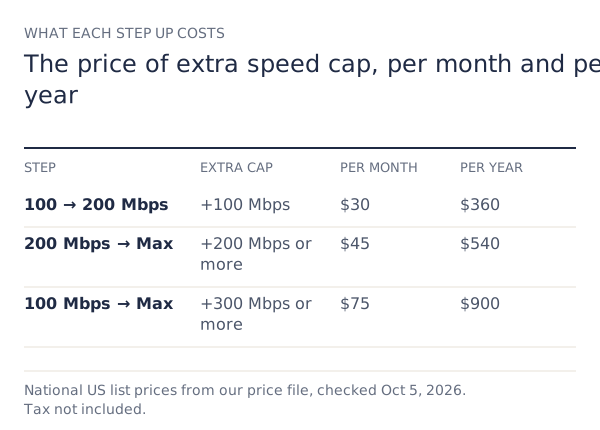
| Step | Extra cap | Extra per month | Extra per year | Per extra Mbps a month |
|---|---|---|---|---|
| 100 → 200 Mbps | +100 Mbps | $30 | $360 | $0.30 |
| 200 Mbps → Max | +200 Mbps or more | $45 | $540 | at most $0.23 |
| 100 Mbps → Max | +300 Mbps or more | $75 | $900 | at most $0.25 |
Read it this way: going from 100 to 200 Mbps costs $360 a year. Is doubling your ceiling worth that to your household? If yes, the step is cheap per Mbps. If you’d never notice it, it’s $360 spent on nothing.
Max also includes free professional installation and eligibility for an extra Mini kit, per Starlink’s support page. If you’d use those, part of Max’s price buys something other than speed, and cost per Mbps overstates what you pay for the speed itself. The Residential 100 vs 200 vs Max guide covers those extras.
Why the cap is not the speed you get
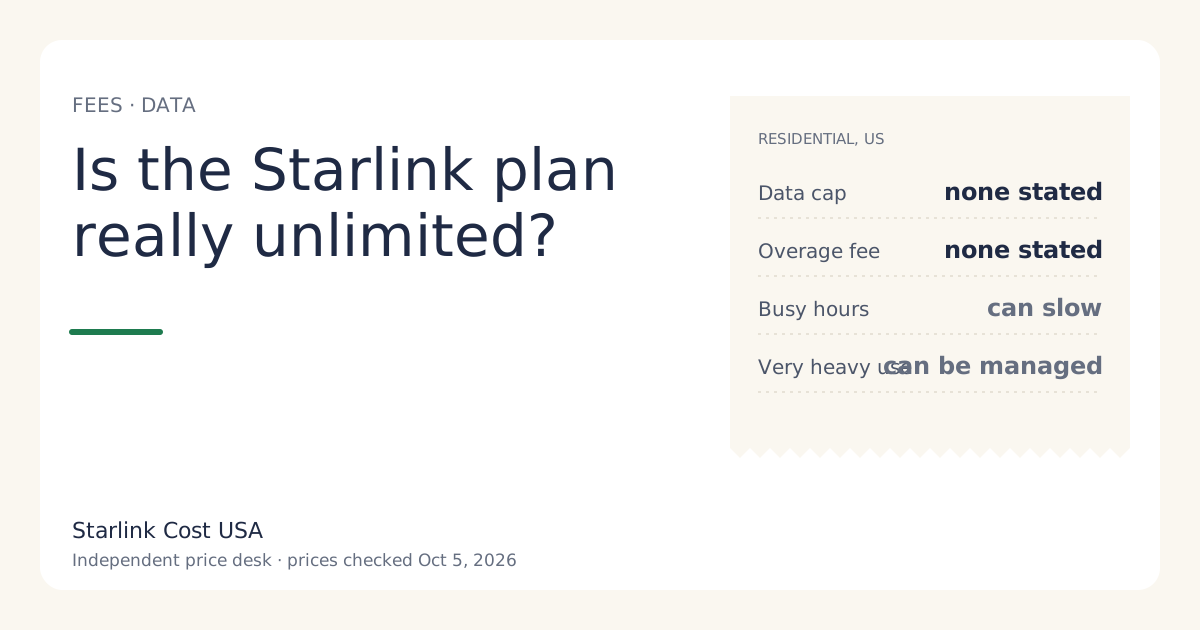
Cost per Mbps uses the cap because that’s the only speed Starlink publishes per plan. Your real speed can be lower:
- Busy hours. Speeds can drop in the evening when many homes in your area are online. A 200 Mbps cap doesn’t mean 200 Mbps at 8 pm.
- Obstructions. Trees or roof lines that block the sky cause interruptions that a higher tier doesn’t fix.
- Your Wi-Fi. A device far from the router may see a fraction of the dish’s speed on any tier.
So cost per Mbps of delivered speed is always at least the figure in the table, and often higher. We don’t run speed tests, so we can’t give you a delivered-speed figure. If you already have Starlink, the app shows your speeds; divide your bill by your typical evening speed for your own number.
Worked example: a household of four
Say a household streams on two TVs in the evening, has one person on video calls during the day, and plays the odd online game. Streaming services publish their own recommended speeds per stream; add those up for your busiest hour. We don’t test this, so use the services’ figures, not ours.
- Suppose that busiest-hour total comes to well under 100 Mbps.
- On Residential 100 Mbps, the cap covers that hour with some room. The year costs $660 in plan charges.
- On Residential 200 Mbps, the same household pays $1,020. The extra $360 buys headroom for large downloads and busy-hour slowdowns.
Neither choice is wrong. The point is that the $0.43-per-Mbps figure on the 200 Mbps tier doesn’t make it the better buy for this home; the speed it needs at its busiest hour does. If evening speeds on the lower tier turn out to be too slow, you can upgrade later (see what changing plans costs mid-cycle).
Using cost per Mbps against another provider
Here the measure is more useful, because the kit price and the speed both differ. Do it in three steps:
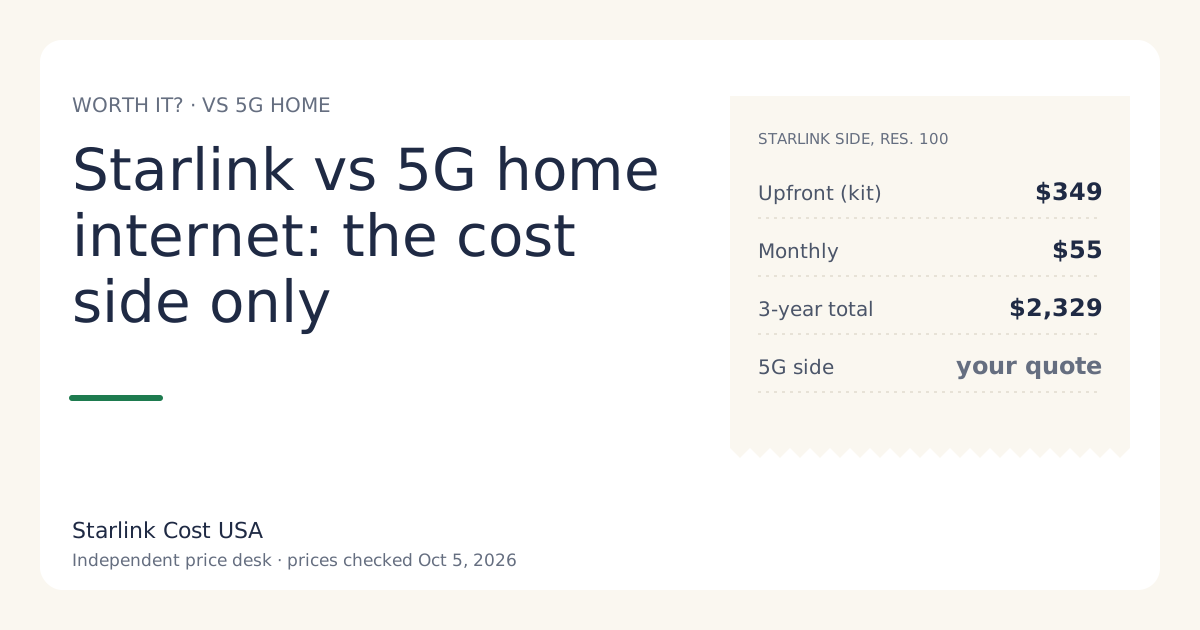
- Monthly cost with hardware spread out. For Starlink, add the kit price divided by the months you’ll keep it. Over 36 months a $349 kit adds $9.69 a month, so Residential 100 Mbps comes to $64.69 a month.
- Divide by the advertised cap for both providers.
- Check the fine print on the other plan: data caps, equipment rental, and promotional prices that end.
On those numbers, Residential 100 Mbps with a bought kit is $0.65 per Mbps a month over three years. If your cable or fiber quote is lower per Mbps and works reliably at your address, it usually wins on cost. Our 5G home internet comparison has a worksheet for the same check.
Edge cases
- Rental kits. If you rent, add any rental fee ($0/mo in select areas, per our price file) to the monthly price before dividing. The activation fee varies by address, so spread your own figure over the months you’ll keep it.
- Tiers not offered at your address. Residential 100 Mbps isn’t offered everywhere. If checkout shows only 200 Mbps and Max, the comparison shrinks to those two.
- Promotional prices. A lower first-months price changes cost per Mbps only for those months. Use the regular price for anything longer than the promo.
Common mistakes
- Treating the cheapest per Mbps as the best value. It’s only value if you use the speed.
- Comparing Starlink’s cap with another ISP’s tested speed. Compare cap with cap, or test with test.
- Forgetting the kit when comparing providers. Starlink’s hardware is a real cost; spread it out.
- Upgrading to fix obstructions. A faster tier doesn’t fix a blocked view of the sky.
What we don’t know
- How close each tier gets to its cap at your address, especially at busy hours.
- The exact speed Max delivers above 400 Mbps; its plan wording is “400+”.
- Whether tier speeds or prices will change. See our price history for what has changed before.
What to do next
- Work out your household’s busiest hour: how many streams, calls and downloads at once.
- Pick the lowest tier that covers it on the prices page, then check the yearly total in the calculator.
- If you’re comparing with another provider, spread the kit over your expected months and compare per Mbps, cap against cap.