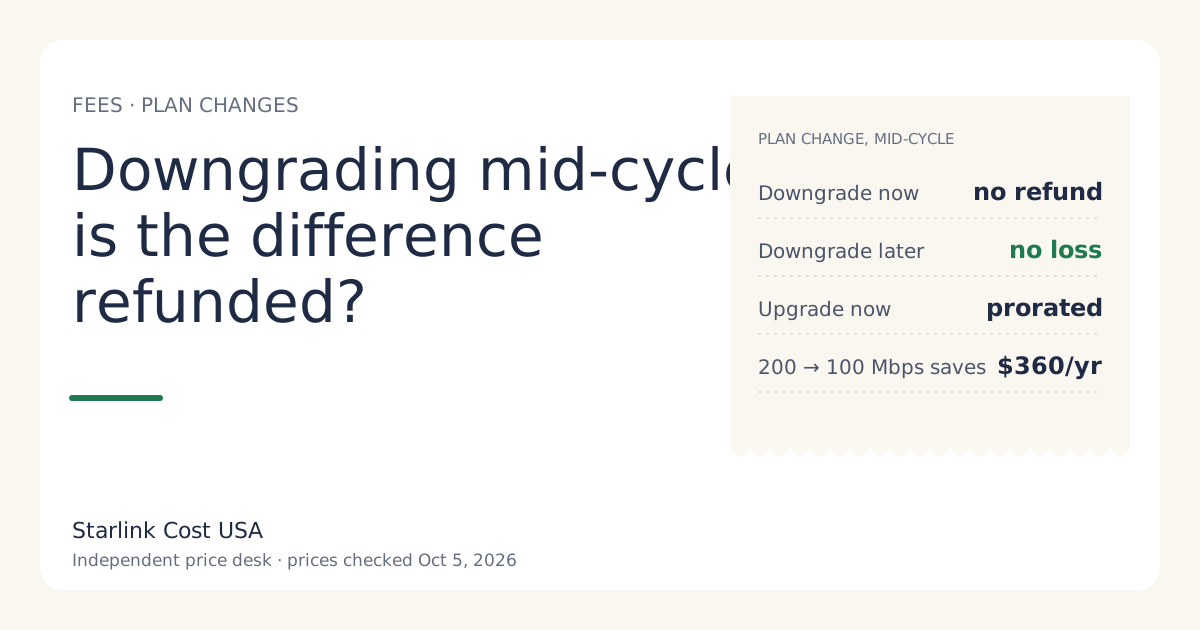
No. If you downgrade a Starlink plan and apply it immediately, the unused time on your current plan isn’t refunded, per Starlink’s support pages. The cheaper price starts with your next bill either way. So the cost-smart way to downgrade is to choose the option that applies the change at the end of your billing cycle: you keep the faster plan you’ve already paid for, then pay less from the next bill.
Since February 2026, the change screen has offered both options for upgrades and downgrades, as RV Mobile Internet reported on February 17, 2026. Here’s how each one bills, and how to time a switch.
The two options on the change screen
Starlink’s support page on changing plans describes two choices when you pick a new plan in the app or on starlink.com:
- Now: apply the change immediately.
- Date: apply the change at the end of your current billing cycle.
How they bill depends on direction:
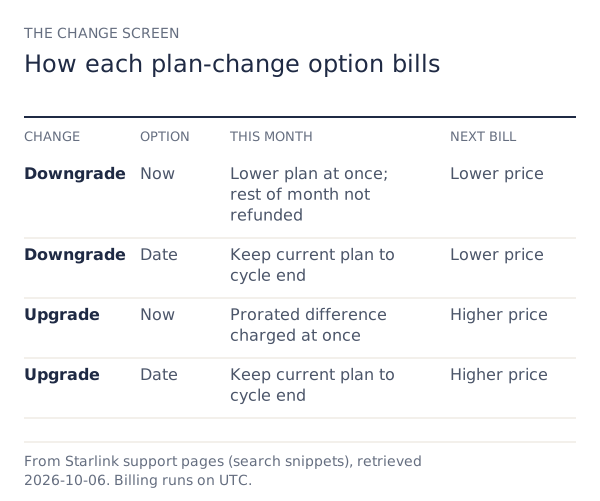
| Change | Option | What happens to this month | What happens next bill |
|---|---|---|---|
| Downgrade | Now | Moved to the lower plan; remaining time not refunded | New lower price |
| Downgrade | Date | Keep current plan to the end of the cycle | New lower price |
| Upgrade | Now | Charged the prorated difference right away | New higher price |
| Upgrade | Date | Keep current plan to the end of the cycle | New higher price |
The asymmetry is the point: an upgrade mid-cycle costs you a prorated top-up, but a downgrade mid-cycle doesn’t give you a prorated credit. See proration in the glossary.
What a downgrade saves, by tier
The saving starts on the next bill. National list prices, checked Oct 5, 2026:
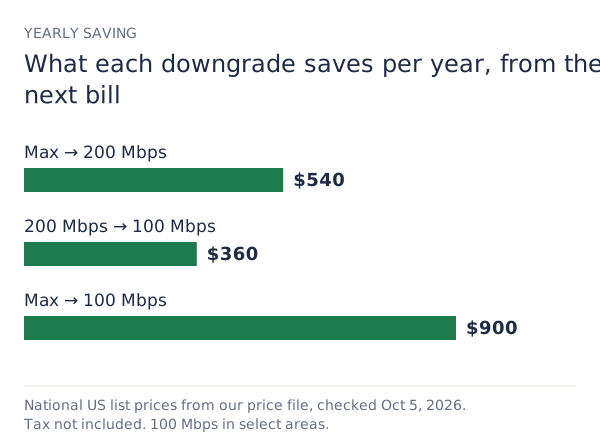
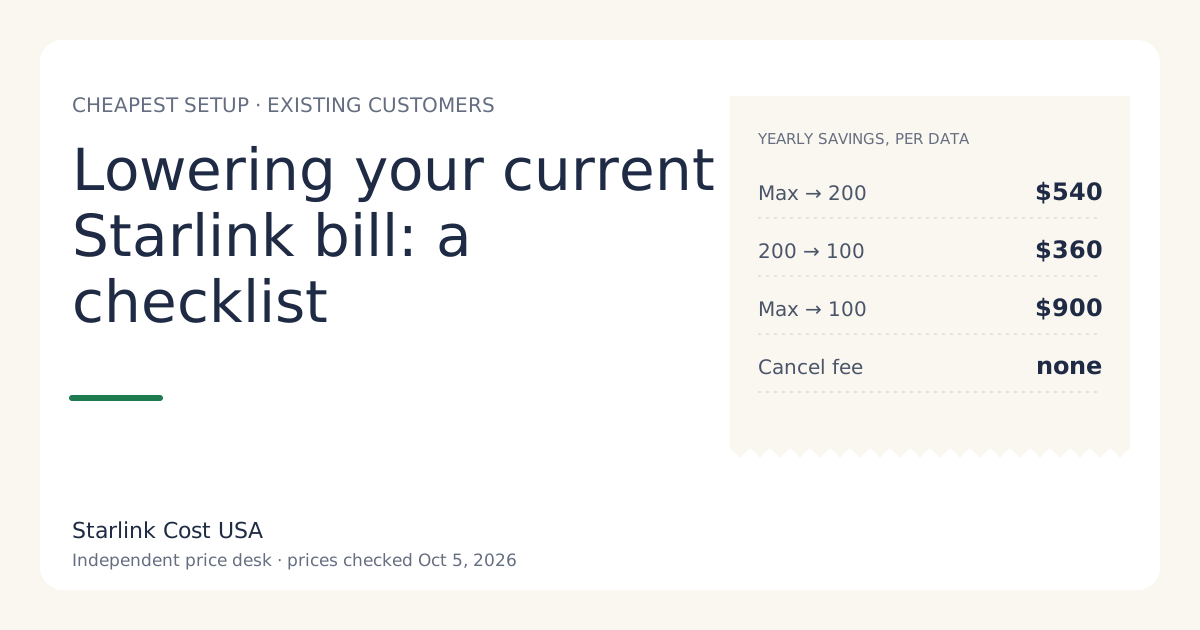
| Downgrade | Saving per month | Saving per year |
|---|---|---|
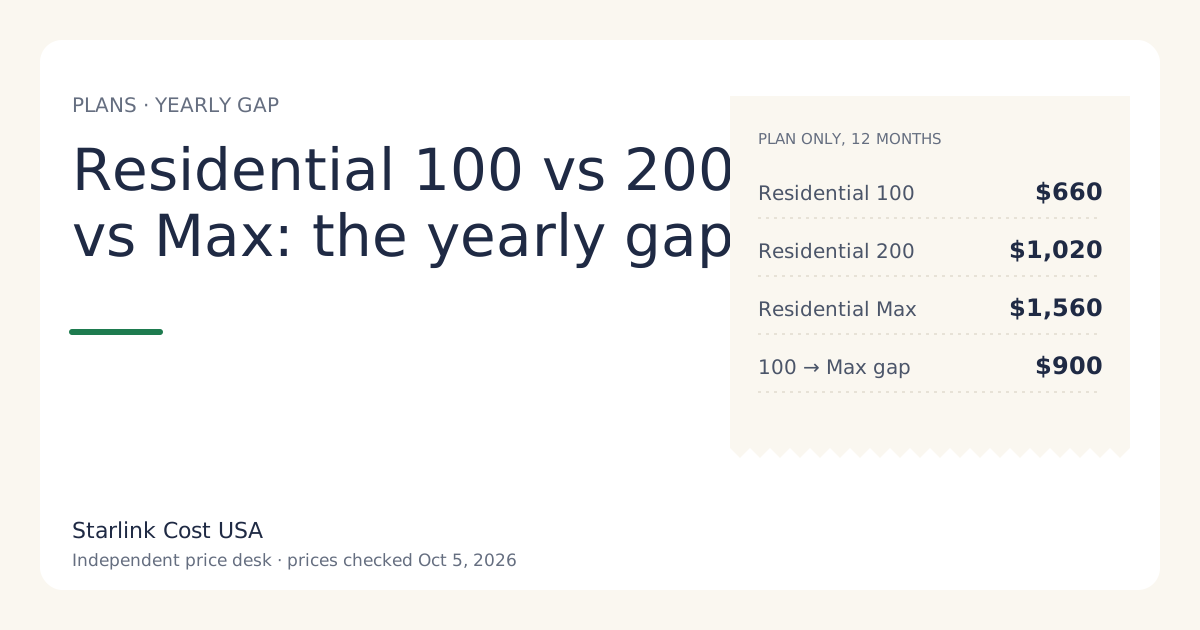
| Max → 200 Mbps | $45 | $540 |
| 200 Mbps → 100 Mbps | $30 | $360 |
| Max → 100 Mbps | $75 | $900 |
Residential 100 Mbps isn’t offered at every address. If your change screen doesn’t list it, that downgrade isn’t available to you, and the screen is the only place that tells you.
Worked example: downgrading on day 10
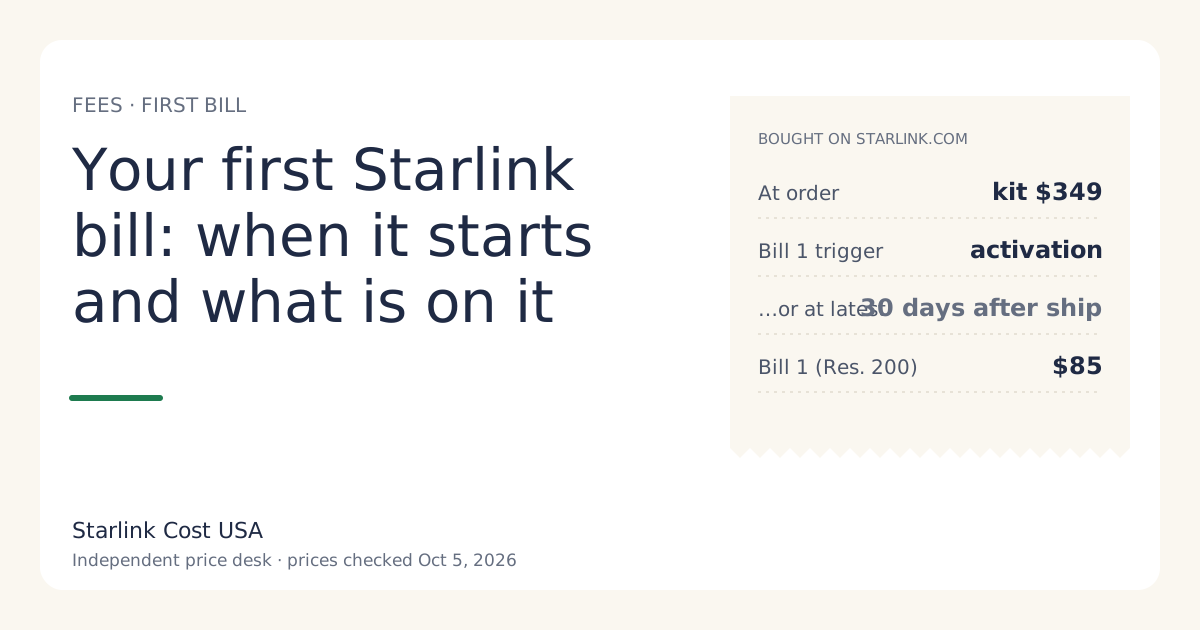
Say your billing date is the 1st, you’re on Residential 200 Mbps at $85/mo, and on the 10th you decide 100 Mbps is enough.
- Choose “now”: you drop to 100 Mbps on the 10th. The $85/mo you paid on the 1st covered the whole month at 200 Mbps; the remaining 20 or so days aren’t refunded. Your next bill is $55/mo.
- Choose “date”: you keep 200 Mbps until the 1st. Your next bill is $55/mo.
Both paths cost exactly the same in dollars. “Now” just gives up three weeks of the faster tier for nothing. The first year after the switch saves $360 either way.
Worked example: upgrading on day 10
Same household, the other direction: on the 10th you upgrade from 100 Mbps to 200 Mbps and pick “now”.
- Starlink charges the prorated difference for the rest of the cycle. With roughly two-thirds of a month left, that’s about two-thirds of the $30 gap, so roughly $20. The exact figure depends on the days left in your cycle.
- From the 1st, you pay $85/mo a month.
If you don’t need the speed right away, “date” avoids the top-up. If you do, the prorated charge is the fair price for the days you use it.
Timing rules that catch people out
- Billing runs on UTC. Starlink’s support page says changes must be made before 12:00 AM UTC on your billing day; later changes roll to the next billing day. For US time zones, midnight UTC falls in the late afternoon or evening of the day before your billing date. Make the change a day early to be safe.
- One pending change at a time. A pending plan change is one of the reasons Starlink lists for the change option being unavailable.
- Promotional prices. If you’re on a promo price, switching tier can end it. Check the new plan’s price on the change screen before confirming.
- Commitment offers. If you accepted a 12-month commitment offer, downgrading might count as leaving it; the offer terms say. Leaving early can bring a prorated 'change fee' if you leave a 12-month commitment offer early.
Can a plan change add a one-time charge?
Yes, in some areas. Starlink’s demand surcharge rule is: one-time, in high-demand areas, when you buy, activate, change plan or move into one; refunded with a 30-day return. A plan change is one of the listed moments. There’s no published amount (no official amount; depends on the addressunverified). If the change screen shows a one-time line, it’s part of the cost of switching; weigh it against the yearly saving in the table above. Surcharges in detail are a topic for our hidden fees guide.
Downgrade, Standby or cancel?
If you’re downgrading because you’ll be away, compare the options on a yearly view:
| Option | Monthly cost | Notes |
|---|---|---|
| Lowest tier offered | $55/mo where available | Full service, lower speed cap |
| Standby Mode | $10/mo (secondary source) | Low-speed data only; not available on select rental kits |
| Cancel | nothing | no cancellation fee on month-to-month service; prepaid months aren't refunded; a rental kit must go back |
Standby and cancelling have rules of their own that are outside this article; the calculator takes Standby months as an input so you can see the yearly effect.
Common mistakes
- Picking “now” to save money. It doesn’t save anything this month; it only ends the faster tier early.
- Changing on the billing day itself. After midnight UTC, the change waits a full cycle.
- Assuming the new price shows on this month’s bill. It starts on the next one.
- Not checking for a one-time line on the change screen before confirming.
- Forgetting a promo or commitment. Read its terms first.
What we don’t know
- Whether support ever credits the unused time on request. The support pages say immediate downgrades aren’t refunded; we haven’t seen a stated exception.
- The exact proration formula for upgrades (by day, or by hour on UTC). The charge shows on the change screen.
- Whether every account type has both options. Starlink says the feature may not be available for all accounts.
What to do next
- Check your billing date in the app or account, and note the UTC cut-off.
- To downgrade, choose the end-of-cycle option a day or two before your billing date.
- Check the yearly saving in the calculator, and read lowering your current bill for the other levers.