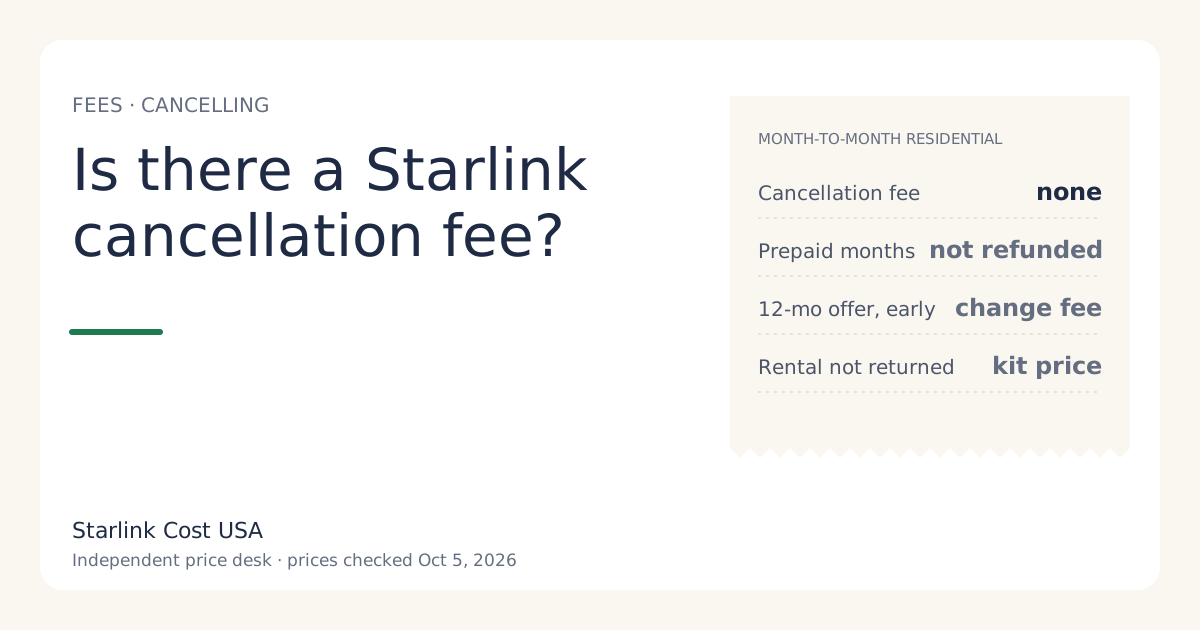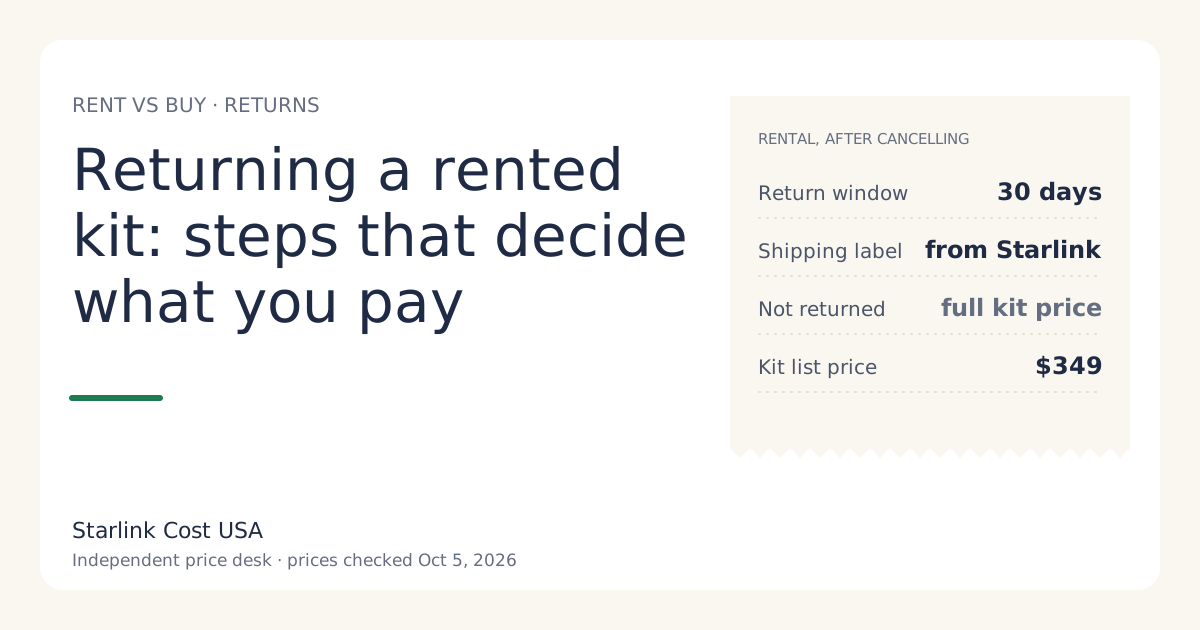
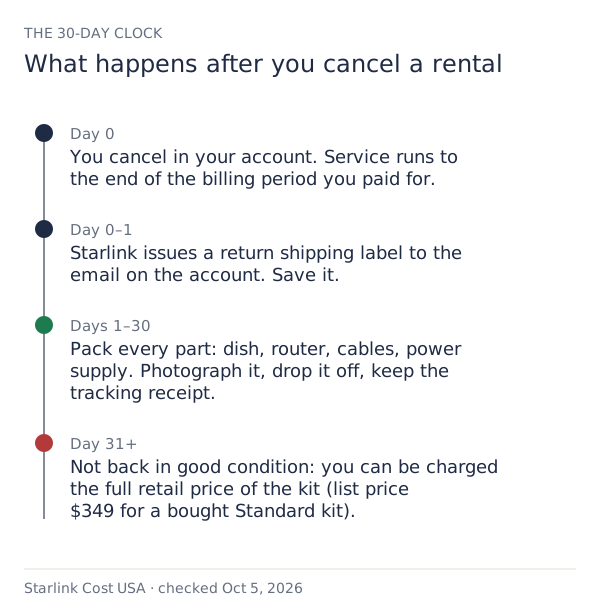
When you cancel a rented Starlink kit, you have 30 days to send it back in good condition using the return label Starlink issues. Miss that, and Starlink can charge full retail price of the kit if not returned within 30 days of cancelling. The cancellation itself carries no fee on month-to-month service. Everything that costs money in this process comes from the return, so it’s worth doing carefully.
What the terms say, in plain words
From Starlink’s returns support page (read via search snippet on Oct 5, 2026) and our price file:
- Deadline: rented kits must be returned within 30 days of cancelling service.
- Condition: the kit has to come back in good condition.
- If it doesn’t: you can be charged full retail price of the kit if not returned within 30 days of cancelling.
- Label: Starlink issues a return shipping label at cancellation. If you’ve lost it, you can have one sent to the email listed on your account.
- Ownership: a rental is Starlink’s property; title never passes to you, so you can’t sell it or keep it.
For scale: a bought Standard kit lists at $349 in our price file. That’s the order of money at stake for a box you forgot in the garage.
Step by step
1. Decide your last day of service. Monthly service is billed in advance, and our price file notes that no cancellation fee on month-to-month service; prepaid months aren't refunded. In practice, cancelling just before your next bill is generated avoids paying for a month you won’t use. See is there a Starlink cancellation fee? for timing.
2. Cancel in your account on starlink.com. Note the date and screenshot the confirmation. Your 30 days start here.
3. Get the return label. It’s issued at cancellation. Check your email (and spam folder). If it isn’t there, request it to be sent to the email on the account. Write the label’s tracking number down.
4. Gather every part. The rental is the kit, not just the dish. Typically that’s the dish with its mount or stand, the router, the cable, and the power supply. If something is missing, ask support before shipping what you have; a partial return is the kind of thing that turns into a charge.
5. Photograph everything. Lay out every part, photograph it with the date visible, then photograph the packed box before sealing it. Clean, dry and undamaged is what “good condition” should look like in your photos.
6. Pack it so nothing moves. Use the original box if you kept it. If not, any sturdy box with padding. Wrap the dish face so it can’t be scratched.
7. Drop it off and get a receipt. Ask for a drop-off receipt showing the tracking number. Don’t rely on a pickup you can’t prove.
8. Watch the account. Keep the receipt, photos and tracking until your account shows the kit received and no charge is pending. If a charge for the kit appears, your tracking and photos are the evidence.
The costs, line by line
| Situation | What you pay |
|---|---|
| Cancel month-to-month, return on time, good condition | No cancellation fee; months already billed aren’t refunded |
| Return arrives after 30 days, or never | Up to full retail price of the kit if not returned within 30 days of cancelling |
| Kit damaged | Unpublished; ask support first and get it in writing |
| Leaving a 12-month commitment offer early | a prorated 'change fee' if you leave a 12-month commitment offer early |
| Within 30 days of ordering | The 30-day return policy can also refund what you paid; check before cancelling |
The first-30-days case
If you’re cancelling because Starlink didn’t work at your place and you ordered less than 30 days ago, check the 30-day return policy first. For bought kits it’s a full hardware refund if undamaged (full hardware refund if returned undamaged within 30 days), and Starlink’s demand surcharge page says the surcharge is refunded with a 30-day return. Secondary sources describe the first month of service being refunded in that window too. For a rental, ask support whether your activation fee is refundable in the first 30 days before you cancel, and get the answer in writing; we couldn’t find a page that states it either way.
Common mistakes that cost the kit price
- Shipping without tracking. If it’s lost in transit and you can’t prove you sent it, it’s your word against a missing box.
- Waiting for “the right box”. The deadline doesn’t care about packaging. Use any sturdy box.
- Forgetting the power supply or router. The kit is all of it.
- Cancelling and moving house the same week. The box gets packed with everything else and found in month three. Return first, then move.
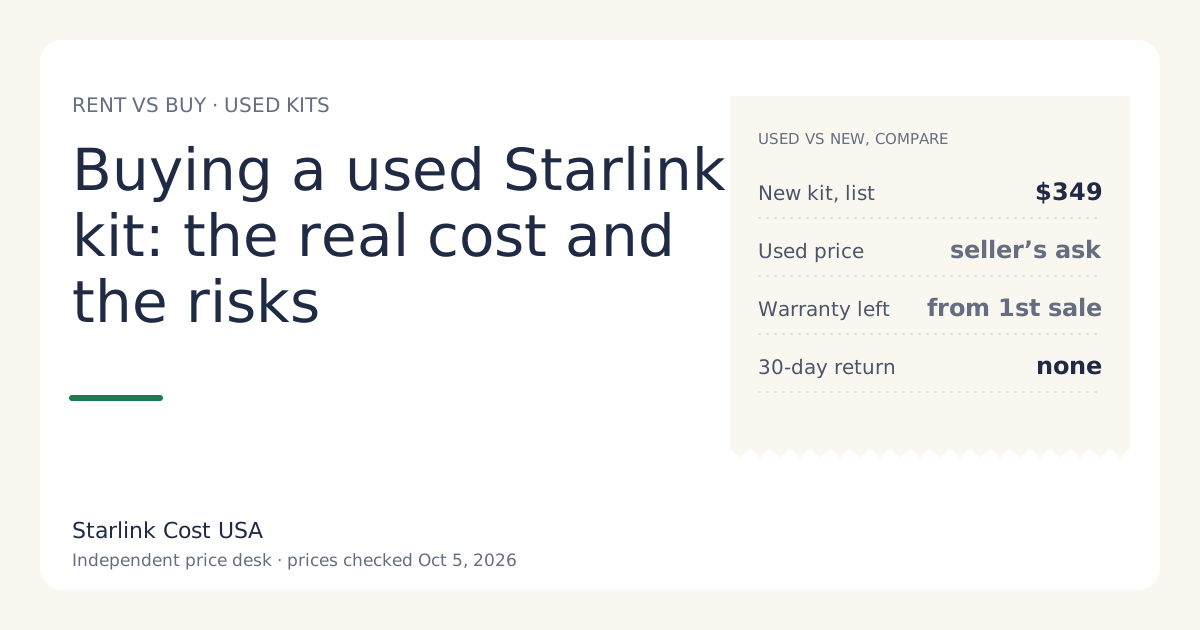
- Selling the rental. It isn’t yours to sell. A buyer can’t activate it, and you’re still on the hook. This is also why buying a used kit needs a “is it a rental?” check.
If you’re renting because you might not stay
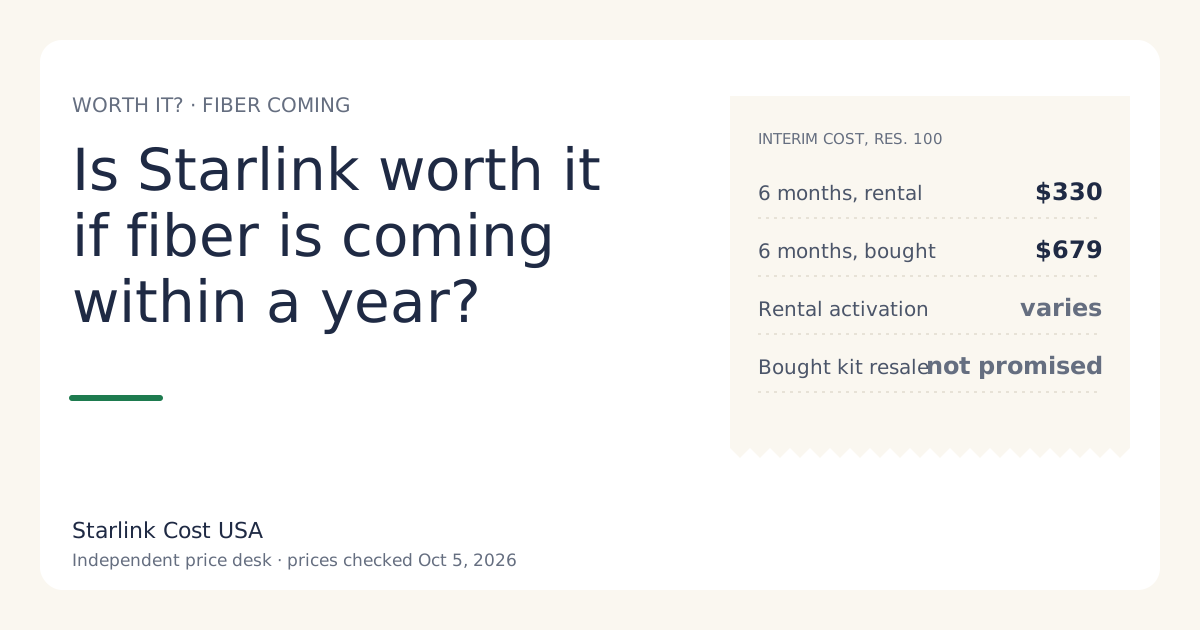
Renting is a reasonable way to keep the exit cheap, as long as you plan the return. If you expect fiber or a move within a year, compare the total cost of renting and returning against buying and reselling in is Starlink worth it if fiber is coming?. Two rental facts to keep in mind:
- Rental kits can’t use Standby (not available on select rental kits). If you’re leaving for a season and coming back, a rental means paying the full plan or cancelling and returning.
- The monthly rental fee has changed. It was $10 a month for new rentals from June 2026 and is reported at $0/mo in select areas since July 2026. Check your own bill.
What “good condition” means in practice
Starlink’s page says the kit must come back in good condition but doesn’t publish a detailed checklist that we could find. Reasonable steps that leave no room for argument:
- All parts present. Dish with its mount or stand, router, cable, power supply.
- Clean and dry. Wipe off dirt and let it dry before packing.
- No cuts or splices in the cable. If the cable was cut to route through a wall, tell support before you ship.
- No added holes or hardware left attached from a mount, if you can remove them.
- Packed so it can’t move. Damage in transit is easier to avoid than to prove.
If something was damaged during your rental, say so to support before shipping and ask what happens next. A written answer is worth more than a surprise charge later.
If the return is late or the box gets lost
- Late: contact support as soon as you know you’ll miss the 30 days. Explain why and when you’ll ship. We can’t promise any outcome, but silence guarantees the worst one.
- Lost in transit: your drop-off receipt and tracking number are the evidence. Contact support with them, plus your packing photos.
- Charged anyway: reply with the tracking number, the delivery confirmation and photos. If it isn’t resolved, ask your card issuer about a dispute.
What we don’t know
- The charge for a damaged rental. No published list we could find.
- Whether a rental’s activation fee is refunded if you cancel in the first 30 days.
- Exact label timing. Starlink says it’s issued at cancellation; delivery to your inbox can vary.
What to do next
- Before cancelling, put your return date in your calendar: cancellation day + 21 days, so you have a buffer.
- If you’re deciding whether to rent in the first place, read the rent vs buy guide, and check the hidden fees guide for the full returns picture.